
Summary of Beginner's Guide – AVR Programming
This article outlines a simple project to blink LEDs using an Atmel AVR microcontroller. The process involves assembling a circuit with a microcontroller, resistors, and LEDs on a generic board, then programming it via an AVR Programmer. The provided C code configures the microcontroller's port D to output a specific binary pattern, lighting up selected LEDs in a continuous loop.
Parts used in the LED Blinking Project:
- Any type of circuit board
- Atmel AVR Atmega16 microcontroller
- 8 X 330 ohms Resistors
- 8 X LEDs
- AVR Programmer (STK500)
You will get this done in 30 min.

Step 1: Parts
1. 1 X any type of circuit board
2. 1 X Atmel AVR Atmega16 microcontroller
3. 8 X 330 ohms Resistors
4. 8 X LEDs
5. 1 X AVR Programmer (just use for download the code, i used a STK500)
Step 2: Build the circuit
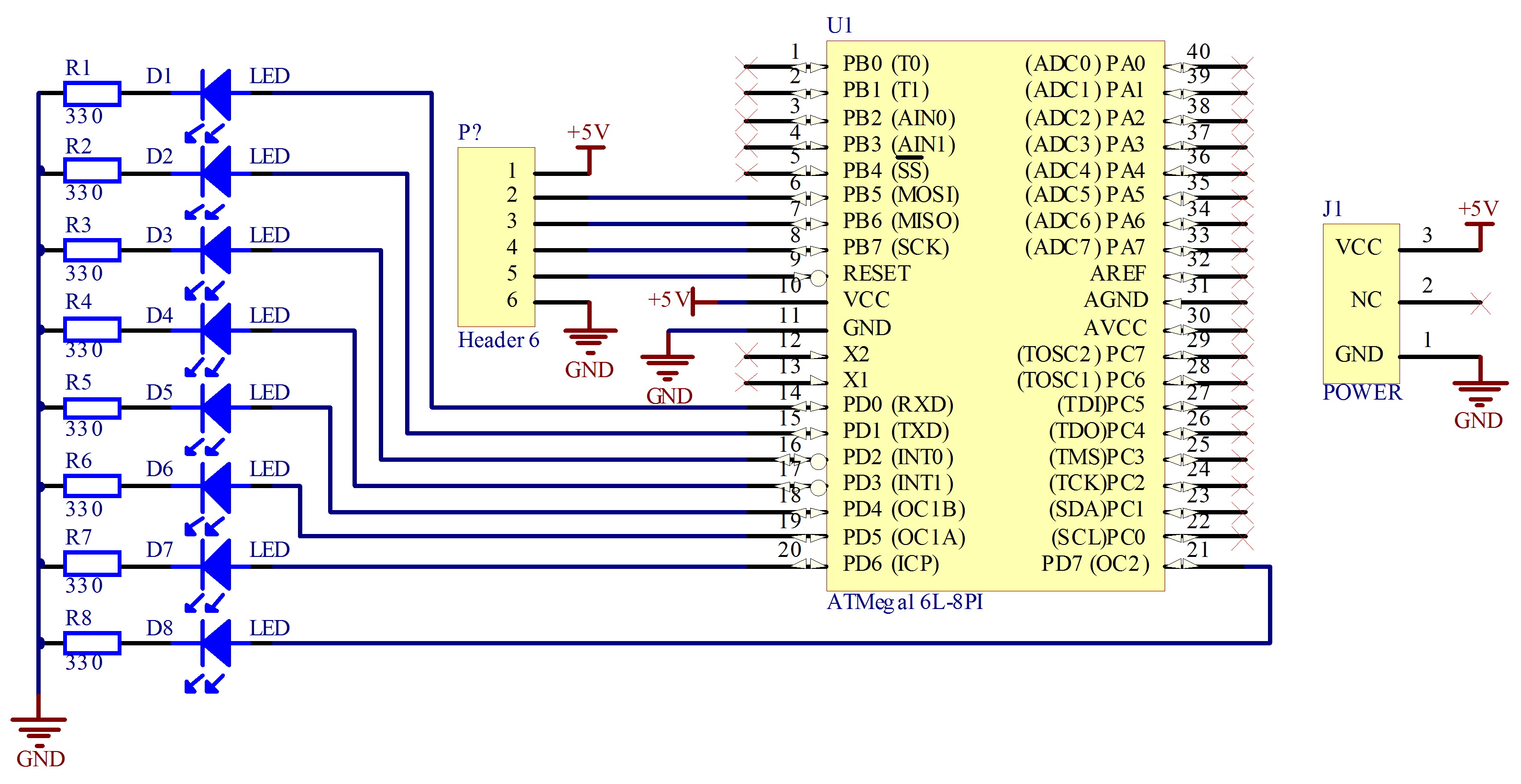
It’s very simple, just follow the diagram that i attached.
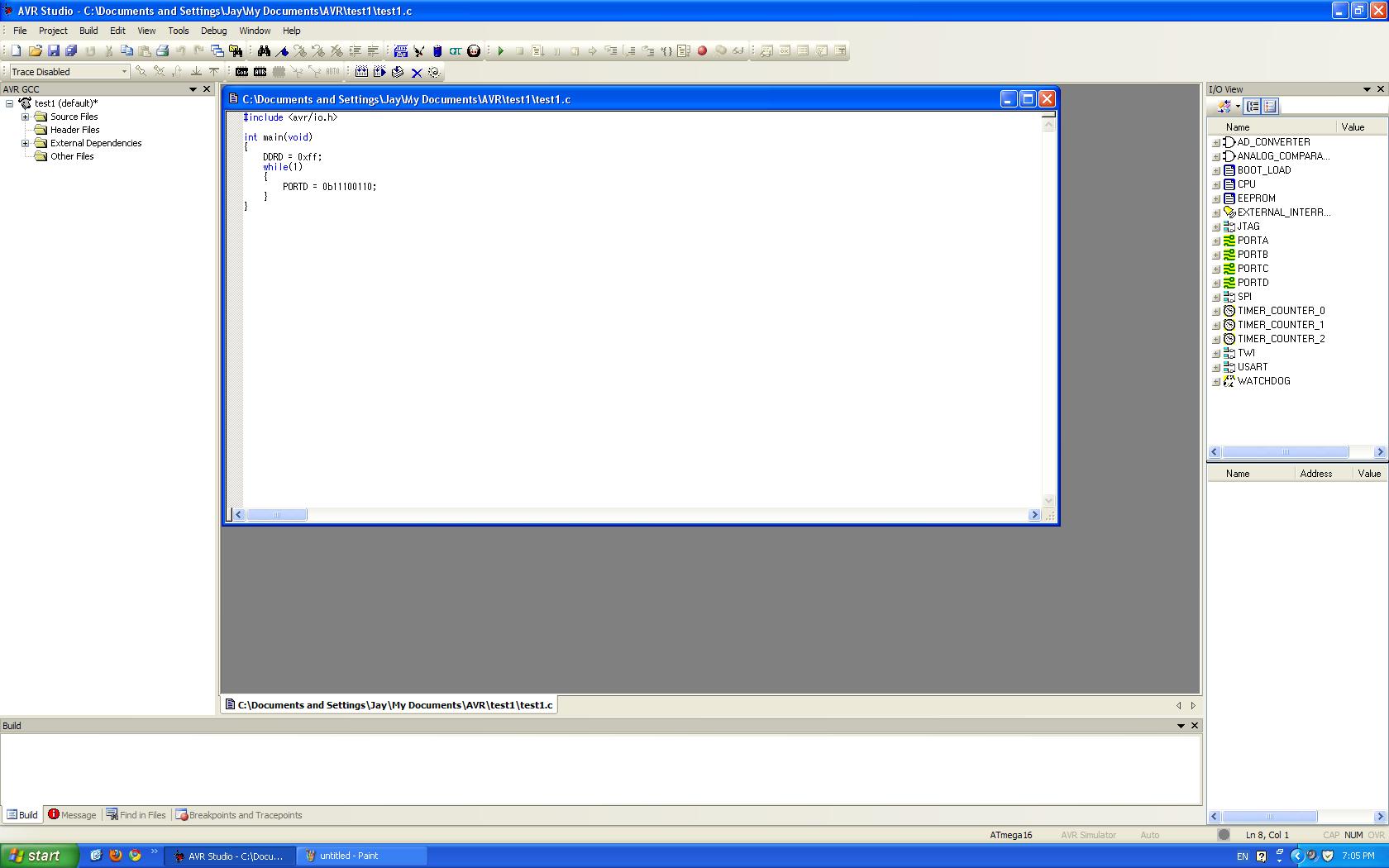
Now you can download the code. I am using the AVR Studio to download the code. You may copy and past this code to AVR studio:
#include
int main(void)
{
DDRD = 0xff;
while(1)
{
PORTD = 0b11100110;
}
}
For more details, click: Beginner’s Guide – AVR Programming
- What components are required for this project?
The project requires any type of circuit board, one Atmel AVR Atmega16 microcontroller, eight 330 ohm resistors, eight LEDs, and an AVR programmer. - How do I build the circuit?
You should follow the diagram attached to the original source to assemble the circuit simply. - Which software is used to download the code?
The article states that AVR Studio is used to download the code. - Can I use a different programmer than the STK500?
Yes, the text mentions using just any AVR Programmer to download the code, noting the author used an STK500 as an example. - What does the line DDRD = 0xff; do in the code?
This line sets the data direction register for port D to configure all pins as outputs. - What value is assigned to PORTD in the main loop?
The code assigns the binary value 0b11100110 to PORTD inside the infinite while loop. - Where can I find more details on AVR programming?
More details can be found by clicking the link titled Beginner's Guide - AVR Programming. - Does the code run continuously?
Yes, the code runs inside a while(1) loop which creates an infinite cycle.
