
Summary of Repair dead AVR's – Attiny fusebit doctor (HVSP)
This article describes a low-cost HV programmer designed to recover "dead" Tiny AVR microcontrollers by restoring fusebits to factory settings. The device supports 8-pin and 14-pin Attiny series chips using a serial high voltage interface. It utilizes an Attiny2313 as the controller, requiring a 12V stabilized supply and specific passive components. Operation involves pressing a start button, with LED indicators providing status feedback on the repair process, such as successful curing or signature errors.
Parts used in the Attiny Fusebit HV Doctor:
- Attiny2313 microcontroller
- Resistors
- Transistors
- 5V stabilizer
- 12V stabilized power supply
- START button
- LEDs (green and red)
Did you make a mistake while programming fusebits, or purposely disabled reset pin (RSTDISBL) or ISP programming (SPIEN)? No need to buy or make inconvenient HV programmer only for unlock couple of Tiny AVR’s. This Attiny fusebit HV doctor will cure your dead tiny microcontrollers, by restoring all fusebits to factory settings – nice and easy. Supports all of the serial high voltage interface AVRs, that is 8-pins: Attiny11, Attiny12, Attiny13, Attiny15, Attiny25, Attiny45, Attiny85, and 14-pins: Attiny24, Attiny44, Attiny84. This is very simple and cheap to make, the brain of device is an Attiny2313 uC, couple of resistors and transistors, and a 5V stabilizer. You need 12V stabilized supply for this. Repair begins after the button START is pressed. Button is active again after 250ms, so pressing it will reset device and start a new repair process.
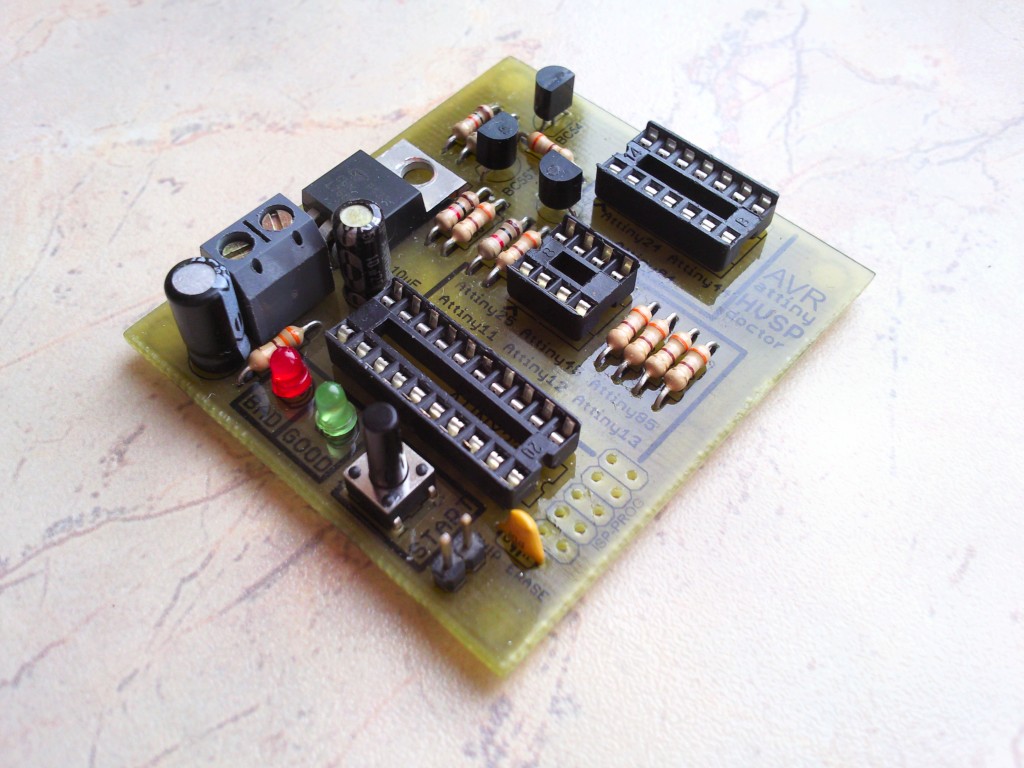
Step 1: LEDs explanation
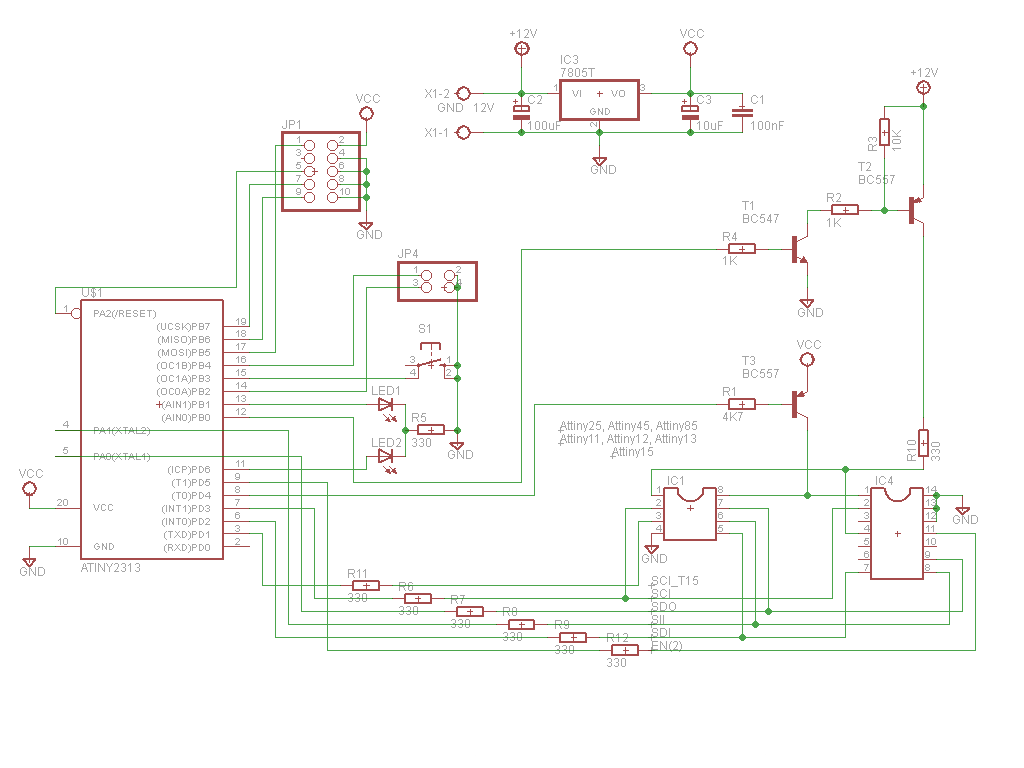
LEDs explanation:
green on – patient successfully cured, fusebits repaired. If lockbits are enabled, just verify fusebits with factory ones – and if they ok – light up green.
red on – signature problem, can’t read, no device in socket, or no such signature in database.
green flashing – signature ok, fusebits are wrong. Lockbits enabled, chip erase permission required (read below).
red flashing – signature ok, no lockbits, but for some reason can’t write new fusebits, can’t pass verification after 10 attempts.
For more details, click: Repair dead AVR’s – Attiny fusebit doctor (HVSP)
- What is the primary purpose of this device?
To restore all fusebits to factory settings for dead tiny microcontrollers without needing an inconvenient HV programmer. - Which Attiny chips does this project support?
It supports 8-pin models like Attiny11 through Attiny85 and 14-pin models like Attiny24 through Attiny84. - What are the core components needed to build this device?
The brain is an Attiny2313 uC, along with a couple of resistors, transistors, and a 5V stabilizer. - What type of power supply is required for operation?
You need a 12V stabilized supply to run the device. - How do you initiate the repair process?
Repair begins after the START button is pressed. - What does it mean if the green LED is flashing?
A flashing green light indicates the signature is okay but fusebits are wrong and lockbits are enabled. - What does a solid red LED indicate?
A solid red light means there is a signature problem, no device is in the socket, or the signature is not in the database. - Can I reset the device to start a new repair?
Yes, the button becomes active again after 250ms, allowing you to press it to reset and start a new process.
