
Summary of Turn Your Arduino Into an ISP
This article explains how to convert an Arduino Uno into an AVR In-System Programmer (ISP) using the Arduino IDE. This setup allows users to burn bootloaders or program AVRs directly without one, such as the ATtiny85 and ATmega644. The process involves uploading the ArduinoISP sketch, installing board support files, and connecting components via a breadboard to flash code onto target chips.
Parts used in the Arduino ISP Project:
- Arduino Uno
- AVR Microcontroller (ATtiny85 & ATmega644)
- Arduino IDE
- Breadboard
- Jumpers
Step 1: Materials
* Arduino (I will be using the Uno)
* AVR Microcontroller (This tutorial will cover the ATtiny85 & ATmega644)
* Arduino IDE
* Breadboard
* Jumpers
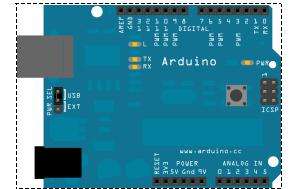
Step 2: Setup
Before we begin programming chips we must set up the Arduino. First, make sure your Arduino IDE is up to date. Then select the File >> Examples >> ArduinoISP sketch and upload it to your Arduino. Now your Arduino is now an AVR ISP.
Step 3 Using Your Arduino ISP: Programming AVRs Without Bootloaders
There are a few instances in which it is neccesary to program microcontrollers without a bootloader. For example, if have run out of storage on a chip you can get an additional 2KB when you program without a bootloader. Another example, the one I will show you how to do, is to program chips that have no serial capabilities and therefore cannot use a bootloader. The ATtiny85 is one of these chips.
To program the ATtiny85 using the Arduino ISP you must first add ATtiny85 support to the Arduino environment:
* Download attiny45_85.zip
* Unzip the folder
* Copy the folder to the Arduino IDE’s Hardware folder
* Reopen the Arduino IDE, you should see the ATtiny85 in the Tools >> Board menu
Now connect your Arduino ISP to the ATtiny85 like the diagram below.
Open the Blink sketch, change every ’13’ to ‘0’, select ATtiny85 from the Tools >> Board menu, and select the serial port that is your Arduino ISP. Now click on upload and your ATtiny will begin blinking the LED once it’s done.
For more details, click: Turn Your Arduino Into an ISP
- How can I turn my Arduino into an AVR In System Programmer?
Upload the ArduinoISP sketch from File >> Examples to your Arduino. - What is the benefit of programming microcontrollers without a bootloader?
You gain an additional 2KB of storage on the chip. - Which chips cannot use a bootloader due to lack of serial capabilities?
The ATtiny85 is an example of a chip that requires direct programming. - How do I add ATtiny85 support to the Arduino environment?
Download attiny45_85.zip, unzip it, and copy the folder to the Arduino IDE's Hardware folder. - Where can I find the ATtiny85 option after installation?
It appears in the Tools >> Board menu after reopening the IDE. - What steps are needed to blink an LED on an ATtiny85?
Open the Blink sketch, change '13' to '0', select the ATtiny85 board, choose the correct port, and upload.
