
Summary of AT89C51 KEYPAD CONTROLLED SCROLLING LED DOT MATRIX TEXT
This project implements a scrolling LED text display using an AT89C51 microcontroller controlled by a 3x4 keypad. Users enter up to 20 characters, triggering a right-to-left scroll upon pressing the "#" key. The system continuously monitors input and displays entered sequences on a 5x7 dot matrix LED.
Parts used in the AT89C51 Scrolling LED Project:
- AT89C51 Microcontroller
- 3x4 Keypad
- 5x7 Dot Matrix LED Display
- Keil Source Code
- Proteus ISIS Simulation Software
- PCB Design (ARES)
AT89C51 Scrolling LED Circuit Operation: Keypad’t the values entered the program through is continually monitored, “*” key is pressed unless the display of the first letter that section required all letters appear, but the… Electronics Projects, AT89C51 Keypad Controlled Scrolling LED Dot Matrix Text “8051 example, avr project, keil example, microcontroller projects, “
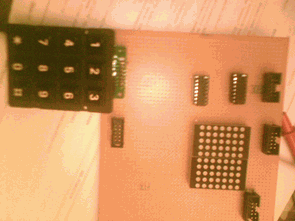
AT89C51 Scrolling LED Circuit Operation: Keypad’t the values entered the program through is continually monitored, “*” key is pressed unless the display of the first letter that section required all letters appear, but the desired letter or number after it is written “*” key is pressed, the entered character sequence element is recognized as a scanning begins again for the next element. Meanwhile, in the LED is fixed, and the entered character which character is seen is entered.
A number of letters in the program is defined in the source code. Up to 20 characters can be entered with the keypad; 20 characters all if entered shifting process automatically start their own are more or less the quantity which character is entered after the # key is pressed, if the scrolling function is activated and characters that are written from right to left starts to slip.
SCROLLING LED TEXT SCHEMATIC
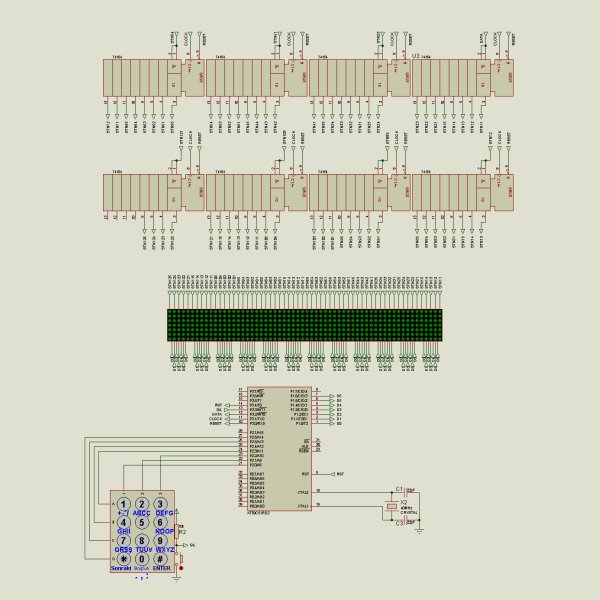
Source: https://320volt.com/en/3×4-keypad-kontrollu-5×7-dot-matris-led-kayan-yazi/ AT89C51 Scrolling LED project keil source code and proteus isis simulation schematic proteus ares PCB desing; acat89c51-keypad-controlled-scrolling-led-dot-matrix-text.rar
- How does the user stop the scanning process?
The scanning begins again for the next element when the desired letter or number is written and the "*" key is pressed. - What happens if more than 20 characters are entered?
If the quantity of characters entered is more or less than 20, the shifting process automatically starts after the "#" key is pressed. - Which key activates the scrolling function?
The scrolling function is activated when the "#" key is pressed after entering the character sequence. - In which direction do the characters move during scrolling?
The characters start to slip from right to left once the scrolling function is activated. - Can the system handle numeric inputs?
Yes, the system recognizes the entered character sequence as a scanning element whether it is a letter or a number. - Where can the source code be found?
The source code is available in the file named acat89c51-keypad-controlled-scrolling-led-dot-matrix-text.rar. - What software is used for simulation?
Proteus ISIS simulation software is used for the schematic and circuit operation. - Is PCB design included in the project resources?
Yes, the project includes ARES PCB design files alongside the schematic.
