
Summary of Multiple ATtiny85 or 13A Programmer
This article details the creation of a custom parallel programmer capable of flashing up to six ATtiny85 or 13A microcontrollers simultaneously. The project involves designing a PCB breakout board, assembling components like an Arduino Nano and DIP sockets, and installing specific core files to enable efficient bulk programming for prototyping or production.
Parts used in the Multiple ATtiny85 or 13A Programmer:
- Arduino Nano x1
- DIP8 Sockets x6
- 1uf 10V Capacitor x1
- Male headers (28 pins)
- LEDs (0603 package) x4
- 1K Resistors (0805 package) x2
- PCB
- 3D printed enclosure
- ATtiny85 x6
Program 6 ATtiny85/13A at the same time with this custom programmer board.
Description
Watch the video for a better tutorial.
Attiny MCUs are very popular as it is quite easy to program them and using them instead of the atmega328 chip can reduce the cost of the overall project which requires less input/outputs.
So let me show you guys how to make a Programmer for these Attiny chips in order to flash them like a pro.
6 Attiny in parallel at the same time!
Designing a Programming Shield
STEP 1 – Designing the PCB
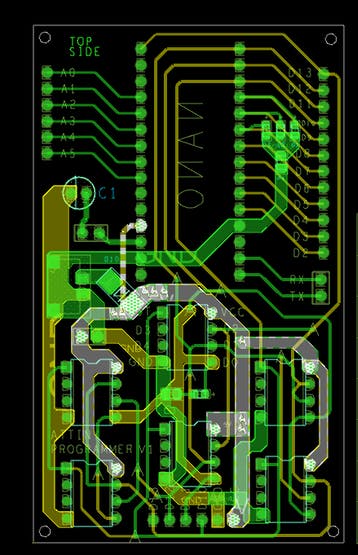
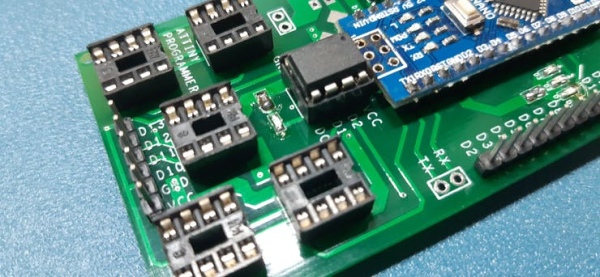
I designed this nano breakout board in OrCad Cadance, it has four LEDs (3 of them are connected to D7 D8 and D9 for ICSP programming status, and the fourth one is connected to D11 or D0 of attiny in case we need to test attiny onboard)
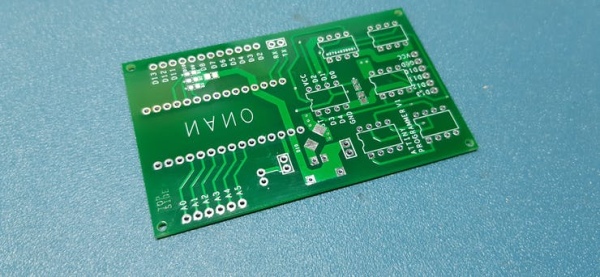
STEP 2 – ASSEMBLY!
We just need the following things for this project-
Arduino nano x1
DIP8 Sockets x6
1uf 10V CAP x1
male headers 28 to be exact
LEDs 0603 package x4
1K Resistor 0805 package x2
PCB
3D printed enclosure
attiny85 x6
after gathering the above components, I just solder them all together and made this slick-looking Programmer.
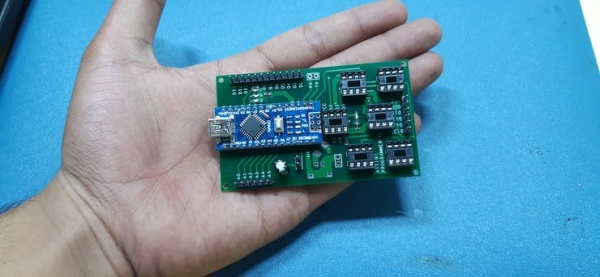
STEP 3 – Testing
first, I plugged the Arduino nano with my computer and flashed it with a simple Chaser led sketch which will toggle led connected to pin D7, 8, 9, and D11 in chaser order. left to right
After this, I uploaded “Arduino as ISP” sketch from example sketches to this board and shorted the jumper after the sketched was uploaded.
I plugged out the USB cable and bring out 6 attiny85, for programming.
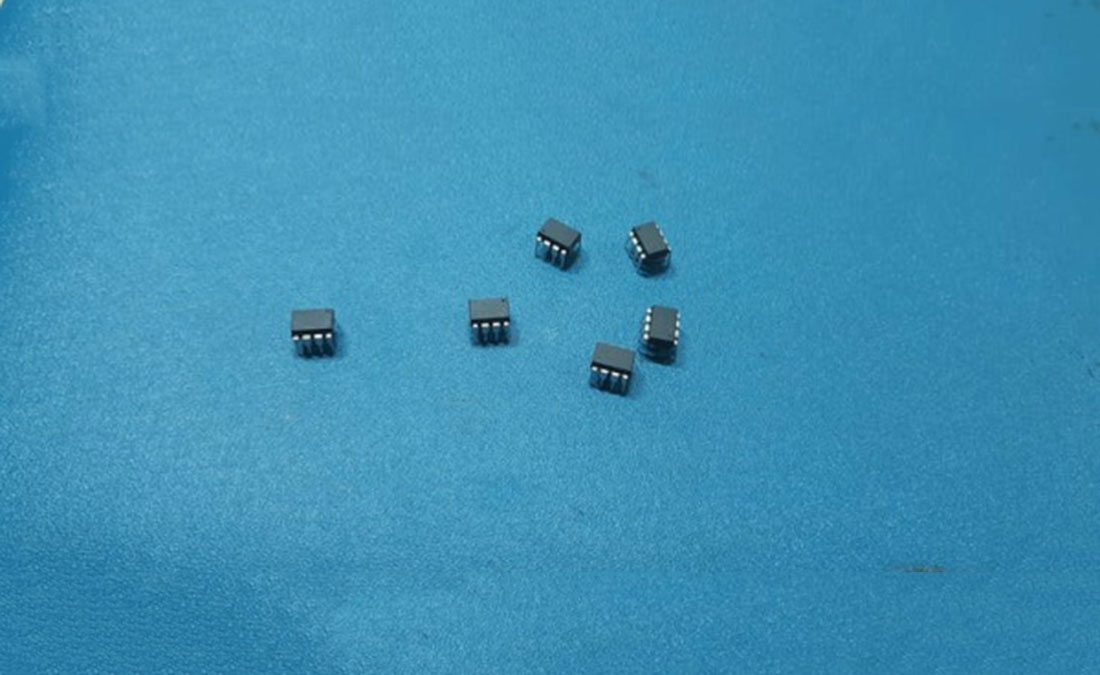
STEP 4 – Getting the Core files and Programming the ATTINY85/13A
now before programming the attiny85, we need to get its core from here- https://github.com/SpenceKonde/ATTinyCore
(just follow the installation process which is very thorough and simple)
after installing the core files, placed ATTINY in dip sockets carefully without applying too much pressure because guess what,
if you apply too much force, ATTINY legs will bend,
Now open Blink sketch or any other sketch that you want to flash it onto your attiny (I’m gonna flash blink sketch and output pin is D0)
#1
plug your attiny on DIP socket and get ready for programming,
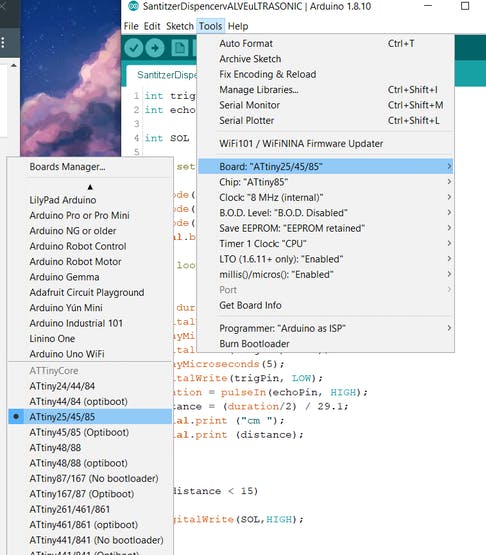
select the right MCU which is attiny85 in our case, and do not forget to choose the right com port.
#2
HIT BURN BOOTLOADER and wait for a few moments.
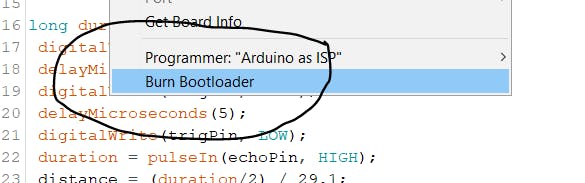
#3
hit UPLOAD VIA Programmer
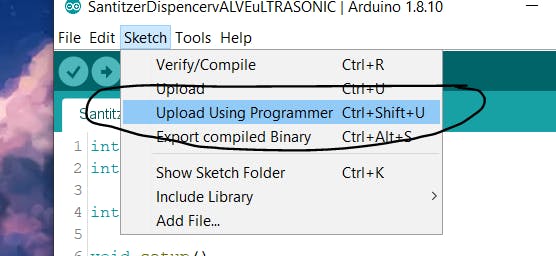
and bang, you have successfully programmed multiple tiny at the same time,
here’s the result.
put them on a breadboard and connect led with D4* and GND and power them separately.
with this setup, you can program more than 1 attiny at the same time which is quite a useful feat, as you can now replicate your project at ease or you can even produce them for selling applications.
I hope this post was helpful in some way. everything here is OPENSOURCE so if you need something, just leave a comment.
Source: Multiple ATtiny85 or 13A Programmer
- What is the main benefit of using this custom programmer?
It allows you to program up to six ATtiny chips in parallel at the same time. - How many LEDs are connected to the PCB for status indication?
There are four LEDs; three indicate ICSP programming status and one tests the onboard ATtiny. - Where can I find the required core files for ATtiny85/13A?
The core files are available on the SpenceKonde ATTinyCore GitHub repository. - Which sketch must be uploaded to the Arduino Nano before programming the ATtins?
You need to upload the "Arduino as ISP" sketch from the example sketches. - Can this setup be used for selling applications?
Yes, it helps replicate projects easily or produce them for selling applications. - What happens if too much force is applied when placing the ATtiny in the socket?
Applying too much force can bend the legs of the ATtiny chip. - Which pins on the Arduino Nano are connected to the first three LEDs?
The first three LEDs are connected to D7, D8, and D9 for ICSP programming status. - What is the purpose of shorting the jumper after uploading the sketch?
Shorting the jumper is part of the testing process after uploading the Arduino as ISP sketch.
