
Summary of Graphical LCD with KS108 controller
The article describes a project using an ATMega16 microcontroller to drive a GLCD HG1286418C-VA with an S6B0107/S6B0108 controller. The system utilizes a custom PCB for connections and is programmed with BASCOM-AVR to display text and images. It highlights the use of specific library functions for rendering graphics, fonts, and shapes, noting that larger fonts and images increase memory consumption.
Parts used in the Graphical LCD Project:
- ATMega16 microcontroller
- GLCD HG1286418C-VA display
- S6B0107/S6B0108 controller
- Custom PCB board
- BASCOM-AVR compiler
- Font files (8x8 or 16x16)
- Graphic picture files
Description
The Graphical LCD 128×64 controlled is with the ATMega16, the graphic LCD GLCD HG1286418C-VA with a S6B0107/S6B0108 controller is used. See below for the pinout of the display. The display has 8 data bits and 5 control bits. The databits are hooked to PORTB and the control bits are hooked to PORTD of the Mega16. A small PCB board is made for easy connection to the microcontroller. The programs are made with the BASCOM-AVR compiler. The program shows text and a picture on the display. A library file needs to be included in the program, the library contains commands to control the display like:
- Setfont – Sets the current font which can be used on the graphical displays.
- Lcdat – shows text on the display
- $BGF – Includes a BASCOM Graphic File in the program.
- Showpic – shows a graphic file on the display
- Line – draws a line on the display
- Circle – draws a circle on the display
- Pset – Sets a single pixel on the display
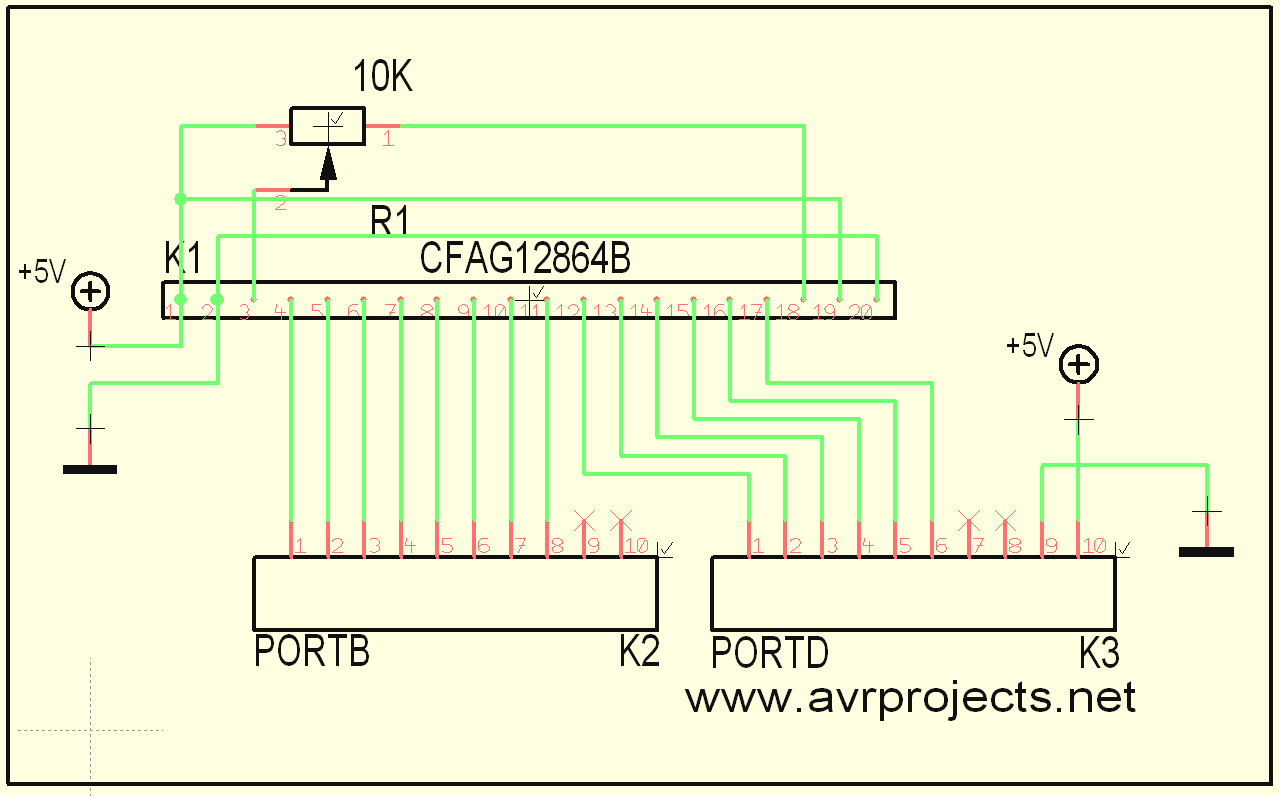
If you want to show text on the display you need to include a font file. There are several fonts available like a 8×8 font and a 16×16 font, but the font file consume memory, the larger the font file the larger the program becomes. You can also create your own font, there are applications on the web to create your own fonts.
To show a picture on the display you need to include a picture file, they also consume a lot of space.
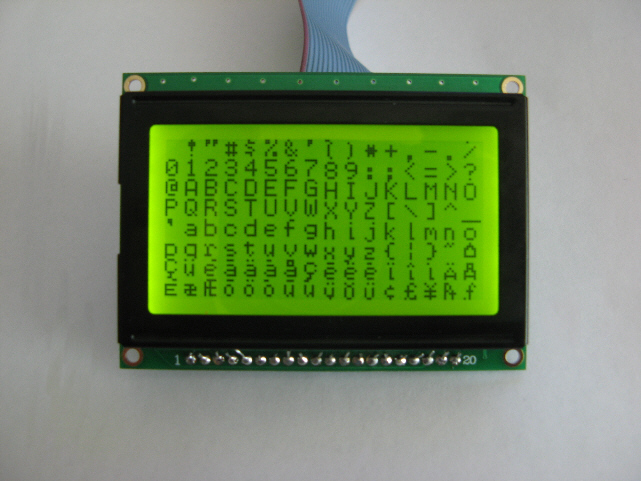
Left you see a picture with the characterset that uses the smaller font set 8×8. It has 255 different characters.
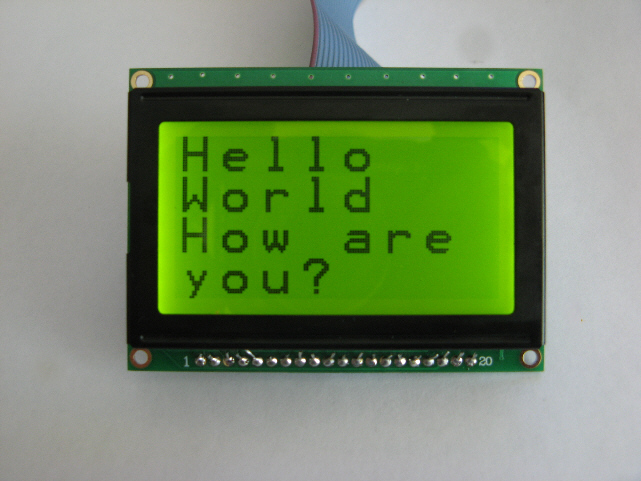
And a picture with big text that uses the bigger 16×16 font, displayed on the GLCD, progams made in BASCOM-AVR.
For more details, click: Graphical LCD with KS108 controller
- Which microcontroller controls the graphical LCD?
The ATMega16 microcontroller controls the display. - What controller chip is inside the GLCD HG1286418C-VA?
The display uses an S6B0107 or S6B0108 controller. - How are the data bits connected to the microcontroller?
The eight data bits are hooked to PORTB of the Mega16. - Where are the control bits connected on the ATMega16?
The five control bits are hooked to PORTD of the Mega16. - Which compiler is used to write the programs for this project?
The programs are made with the BASCOM-AVR compiler. - What happens to program size when using larger font files?
Larger font files consume more memory and make the program larger. - Can users create their own font files for the display?
Yes, applications exist on the web to create your own fonts. - Which function draws a single pixel on the display?
The Pset command sets a single pixel on the display.
