
Summary of Halloween Robot using Attiny microcontrollers
This article details a DIY Halloween robot project controlled by a modified joystick using an Attiny 261 microcontroller. The creator notes that the project requires electronics experience due to component modifications and specific motor coding. The robot features two stepper motors for head and body movement, powered by separate supplies to protect the microcontroller. The build involves modifying a milk jug and wood frame, covered with black fabric and bags, and includes fog machine integration for effect.
Parts used in the Halloween Robot:
- Attiny 261 Microcontroller
- AVRISP mkII or AVR Dragon programmer
- Joystick
- Power supply (Old phone charger)
- Motors (Stepper motors)
- Breadboard/ Protoboard
- Wire
- Digital multimeter
- Red LEDs
- Black fabric or sheet
- Empty Milk Jug
- 2x4 piece of wood
- Black garbage bag
- Fog machine
Halloween Robot controlled by an old wingman joystick.
I don’t reccommend this for beginners with electronics only because some things like joysticks and power adapters are not all the same and must be modified. Additionally I provide programming code which will only be useful for particular stepper motors without modification.
**This is still unfinished, but Halloween is coming up so I’m going to publish it and add to it as I go**
Step: 1 Materials
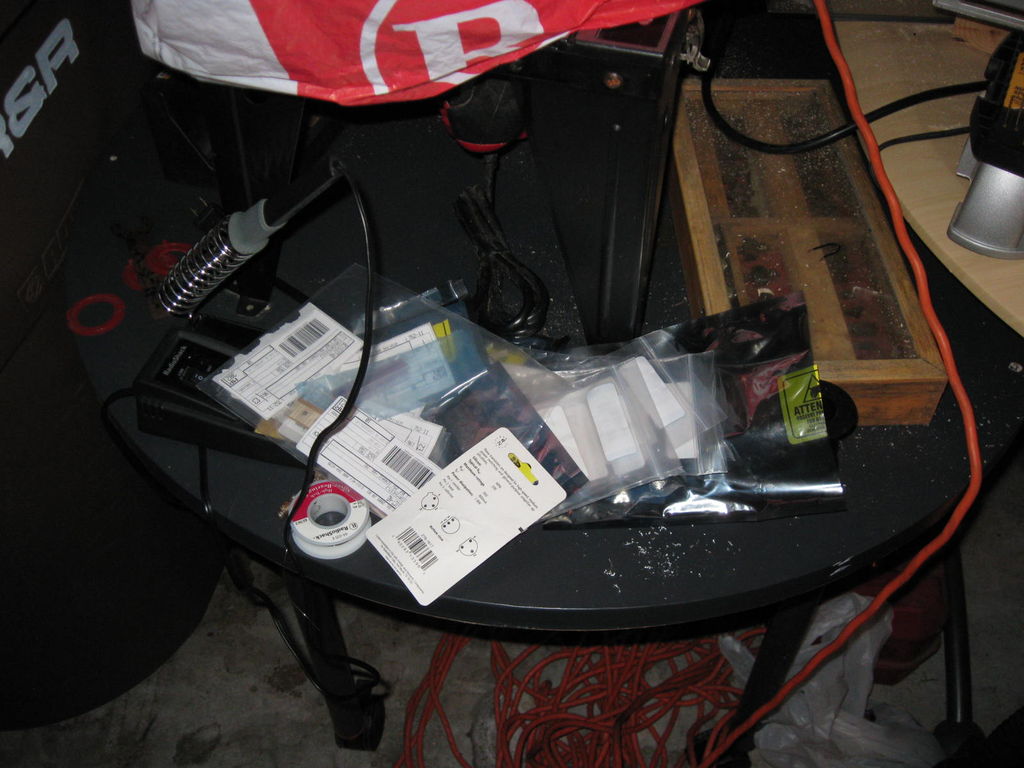
-Microcontroller (I’m using Attiny 261)
-Microcontroller programmer, AVRISP mkII or AVR Dragon recommended
-Joystick
-Power supply(s) (Old phone charger, over 5V will burn out uC, so I have one supply for the motors and one for the uC)
-Breadboard/ Protoboard
-Wire
-Digital multimeter
-Red LEDs
-(2) Motors (I’m using stepper motors)
The motors can be anything, but you’ll have to do your own microcontroller coding to make them work unless they’re 8 wired unipolar/ bipolar stepping motors. I would have used a regular DC motor, but don’t want to deal with the feedback design work.
-2/3 yards of black fabric (or a black sheet but it will have to be starched probably)
-Empty Milk Jug
-2×4 piece of wood
-Black garbage bag
-Fog machine
Step: 2 Joystick Modification
Step: 3 Microcontroller
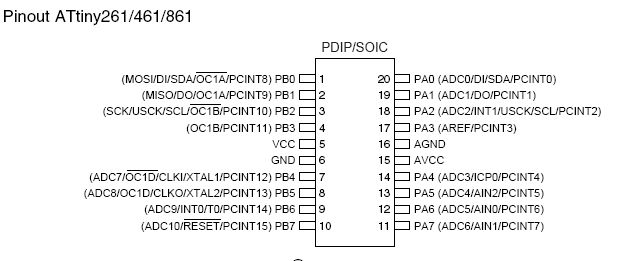
Gotta program up the uC. 2 axis Joystick, so I can control 2 motors. I motor turns body, 1 turns the head.
The simplest way would be to just check whether the tilt signal is high (over 2.5V) or low. But I want to have some sense of speed, it makes the range of the joystick count for something. This i accomplish in the code so that there are 2 speeds and the faster speeds go with the joystick pushed all the way over.
I’m going to use ADC pins on the microcontroller to sense how far I push the joystick in either direction. See connections diagram for that sort of thing. If the ADC is anywhere besides near half, the motor will turn the appropriate way, and faster the farther from half.
Since I’m using steppers, I could count steps and not put a mechanical stopper, but I don’t trust that as much. add that to the code if you like.
So you need to load up the C program in AVR studio, build it, and then flash it to the microcontroller. FYI, your motor/ transistors will have to be disconnected from ground unless you program in a seperate circuit. I actually included the aps file so it should be super easy to load up.
For more detail: Halloween Robot using Attiny microcontrollers
- Is this project recommended for beginners?
No, it is not recommended for beginners because components like joysticks and power adapters require modification. - What happens if I use a power supply over 5V for the microcontroller?
The microcontroller will burn out if supplied with more than 5V. - How should the joystick potentiometers be rewired?
Connect the right pin to ground, the left pin to power, and use the middle wire on each as the control wire for the microcontroller. - Can I use regular DC motors instead of stepper motors?
You can use any motors, but you must write your own microcontroller code unless they are 8-wired unipolar or bipolar stepping motors. - How does the code determine motor speed?
The code uses ADC pins to sense how far the joystick is pushed; motors turn faster the farther the signal is from half voltage. - What software is needed to program the microcontroller?
You need to load the C program into AVR Studio to build and flash it to the microcontroller. - Why did the author choose stepper motors over DC motors?
The author avoided DC motors to prevent dealing with feedback design work.
