
Summary of 10 free PCB CAD programs
This article highlights ZentiPCB, a free PCB design platform updated within the last two years. It consists of ZentiCapture for creating schematics with orthogonal locking and snap-to-pin features, and ZentiPCB for visualizing netlists and editing layouts on single or double-sided boards. Users can import components from libraries and connect pins directly using the cursor.
Parts used in the ZentiPCB Project:
- ZentiCapture
- ZentiPCB
- Netlist files
- Component library
There’s nothing better than “free” when it comes to just about everything, even PCB software. Just because some software is more expensive doesn’t make it better than some of those free PCB packages found on the Internet. In this round up, we will take a look at some of the past popular platforms that are still consistently being supported and updated. One criteria… some sort of update has to be present on the software’s support website in the last two years.
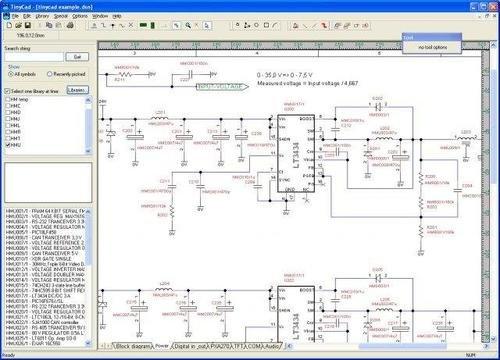
First on our list comes from Mirko Bruno Sortini with his ZentiPCB platform, which features several freeware programs to help users design their own PCBs. ZentiCapture allows users to quickly and easily design schematics using an easy-feature tool set, which allows users to place parts (component symbols) using the orthogonal locking and snap to pin. Once the schematics (in netlist form) are finished, they can then be ported over to ZentiPCB.
ZentiPCB is a CAD-based program that allows users to import netlist files and visualize their schematics. The layout editor provides the ability to import components from a library as well as connecting the pins directly using the cursor, which can be single or double sided depending on the need.
For more detail: 10 free PCB CAD programs
- What is ZentiPCB?
A CAD-based program that allows users to import netlist files and visualize their schematics. - Can users place parts using orthogonal locking?
Yes, ZentiCapture allows users to place component symbols using orthogonal locking and snap to pin. - How do you connect pins in the layout editor?
Users can connect pins directly using the cursor. - Does the software support double-sided designs?
Yes, the layout editor supports connecting pins depending on the need for single or double-sided boards. - Can components be imported from a library?
Yes, the layout editor provides the ability to import components from a library. - What is required for software to be included in this list?
Some sort of update must be present on the software’s support website in the last two years. - What happens after finishing schematics in ZentiCapture?
The schematics in netlist form can then be ported over to ZentiPCB.
