
Summary of FT311 – USB communication with Android devices without drivers
### Summary The article introduces FTDI's new FT311D USB chip, which enables Android Open Accessory Mode for seamless connectivity between Android devices and external hardware. Unlike USB OTG, this mode reverses roles so the external device acts as the host, eliminating the need for Android drivers and preserving battery life by powering the bus from the host. The FT311D supports six interfaces (UART, SPI, I2C, etc.) and includes extensive development resources like code examples and demo boards.
Parts used in the FT311D Project:
- FT311D USB Chip
- UMFT311EV Development Board
- Code Examples
- Demo Applications
- FT311 Datasheet
- FT311 WP_001 Document
- FT311D Android Programmer Guide
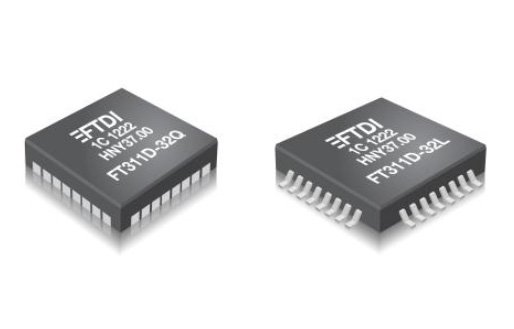
New USB chip from FTDI supports the Android open accessory mode, what enables a straightforward connectivity of USB devices and saves a battery of an Android device.
To connect a device to a smartphone (tablet,…) or other Android OS device via a USB is at the time possible in 2 ways – by means of a USB OTG (On The Go) or via a so called „Android open Accessory“ mode. USB OTG was introduced to you in the article – USB OTG – rather to be a master than a slave. USB OTG functions very well with many external devices but this method has one substantial requirement – your smartphone must recognize a given external device – it must have a suitable driver installed (similarly like at PC). The problem is, that for many USB devices you mast a driver to your Android device, what can be problematic from various reasons – absence of a suitable driver, “locked” system (limited access rights) loss of warranty on an Android device, ….
As a solution of these problems the Android Open Accessory Mode arised, when the role changes upside down and an Android device communicates in the USB device (Slave) slave. It means that the Host role takes an external device, while eliminating a need to develop drivers and guarantees a trouble-free communication. It means that this mode is very suitable for development of new devices intended for operation with Android devices. At the same time, the USB bus is powered from a Host device at this mode, what saves the battery of an Android device. Usually an application in a given OS uses drivers to communicate with a USB device. However in this case no drivers are required – an Android device reads a set of strings describing a given device (producer, model, URL address …) what is able to automatically start an application after connection of a given device. USB communication itself uses 2 endpoints for input and output (Bulk IN and Bulk OUT). That´s why an Open Accessory mode is suitable for all kinds of devices – data producing (sensors, probes,…) but also for data receiving (printers, robots, …).
FT311D brings this solution into reality and functions as a bridge between an Android device and various serial interfaces. It is possible to choose from up to 6 interfaces what suits to perhaps all nowadays devices – UART, PWM, SPI Master, SPI Slave, GPIOS, I2C Master. A great advantage of FT311D is, that the producer – company FTDI provides an extensive development support, including the UMFT311EV development board, code examples and demo applications.
Detailed information will provide you the FT311 datasheet, FT311 WP_001 and FT311D Android programmer guide. Further files can be found on the http://www.ftdichip.com/Android.htm
In case of interest, please contact us at [email protected].
For more detail: FT311 – USB communication with Android devices without drivers
- How does Android Open Accessory Mode differ from USB OTG?
In Open Accessory Mode, the external device becomes the host while the Android device acts as a slave, whereas USB OTG requires the smartphone to recognize the device as a master. - Does using Open Accessory Mode require installing drivers on the Android device?
No, this mode eliminates the need for drivers because the Android device reads device strings to automatically start an application. - What is the best way to save the battery of an Android device during USB communication?
The Open Accessory mode saves battery because the USB bus is powered from the Host device rather than the Android device. - Can the FT311D chip support data receiving devices like printers?
Yes, it supports both data producing devices like sensors and data receiving devices like printers and robots. - What interfaces are available on the FT311D chip?
The chip offers up to 6 interfaces including UART, PWM, SPI Master, SPI Slave, GPIOS, and I2C Master. - Where can developers find code examples and demo applications for the FT311D?
FTDI provides these resources along with the UMFT311EV development board and various technical guides. - What information does the Android device read to identify a connected device?
The Android device reads a set of strings describing the producer, model, and URL address of the connected device. - Does the FT311D work with all kinds of modern devices?
Yes, the availability of up to 6 different interfaces makes it suitable for perhaps all nowadays devices.
