
Summary of A New Era of 3D Printing With Cel Robox’s Root, Mote and Tree!
C Enterprise Ltd. has introduced new upgrades for its Robox micro-manufacturing platform: Root, Mote, and Tree. These tools enable remote control of single or multiple 3D printers, enhance network capabilities, and offer a space-saving furniture system to boost productivity without altering the original printer's core quality.
Parts used in the Robox Upgrade Project:
- Root connectivity extension platform
- Mote companion device
- Tree bespoke furniture system
- Dual upgrade kits
- Birch plywood components
- Allen key
- Screwdriver
- HDMI port
C Enterprise Ltd., the company behind the amazing 3D printer Cel Robox, is now back on stage with some new upgrades and plug-ins: Root, Mote and Tree! Imagine that you will be able to control your 3D printer missions remotely where you can also control not only one printer, but multiple of them!
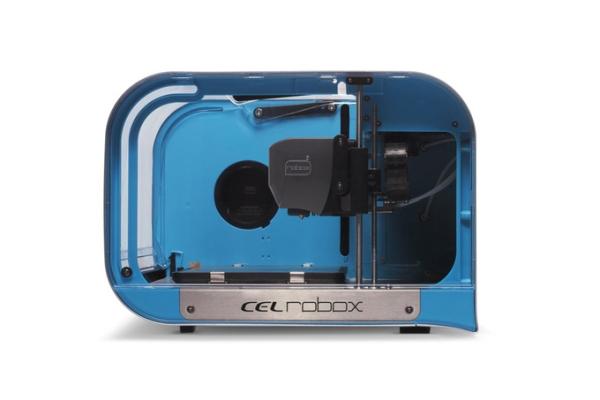
Robox is not another 3D printer, the 20-micron accuracy printer is a micro-manufacturing platform. The precise positioning of the 3 axis system along with the mechanical and electronic design of the HeadLock system provides a robust framework on which to build a range of manipulators and scanning devices to allow this robot in a box to do much more than just create beautiful 3D prints.
Key features of Robox is on this slideshow. You can check the full specifications here.
If you already have a Robox so don’t worry, you are not left behind. Robox team thinks that it won’t be a good choice to build above the already functional 3D printer in order to increase its capabilities. What they are doing right now is updating peripherals which are standalone and won’t disrupt the quality of the original printer. For example, an original Robox can be upgraded to become a RoboxDual using DIY upgrade kits or vendor provided services.
Increasing the size of printing by making a bigger size Robox was a suggestion for them, but what they were thinking about was different. Making a bigger Robox may risk some features already guaranteed in the original one, so why not make a way that you can function multiple Robox editions at the same time in an amazing architecture that saves space and time? Here comes Tree: a bespoke furniture system that utilises the compact nature of the Robox micro-manufacturing platform to increase productivity. It is a precision CNC machined from high quality birch plywood with a choice of two different finishes, and is supplied as an easy-to-assemble ‘flat-pack’ solution. Using familiar fasteners, Tree can be assembled by anyone in under 30 minutes with just an allen key and screwdriver. It is a nice addition to your fablab, coworking space or even your office!
To control this Tree, a new plugin from Robox is also introduced: Root! Robox Root is a connectivity
extension platform for all Robox printers. Its core function is to add network capabilities to multiple Robox from a single Root, with secondary functions to include a web interface and printer sharing across a network. It is perfectly suited for use in offices, schools or other professions where multiple users need easy access to a single or multiple printers. The onboard HDMI port also allows you to connect Root to any external display or touchscreen, including its companion, Robox Mote.
Read more: A New Era of 3D Printing With Cel Robox’s Root, Mote and Tree!
- Can I control multiple Robox printers remotely?
Yes, you can control not only one printer but multiple of them using the new upgrades. - What is the Tree system made of?
It is a precision CNC machined from high quality birch plywood with two finish choices. - How long does it take to assemble the Tree?
Anyone can assemble it in under 30 minutes using familiar fasteners. - Does upgrading affect the original printer quality?
No, the team updates standalone peripherals that will not disrupt the quality of the original printer. - What is the primary function of the Root plugin?
Its core function is to add network capabilities to multiple Robox printers from a single unit. - Can I connect an external display to the Root?
Yes, the onboard HDMI port allows connection to any external display or touchscreen including the Mote. - Who is the Robox platform suitable for?
It is suited for offices, schools, fablabs, and coworking spaces where multiple users need access. - Why did they choose a multi-printer architecture over a bigger printer?
Making a bigger Robox may risk features already guaranteed in the original one.
