
Summary of PS2 Keyboard Interface with AVR MCU using ATmega8 microcontroller
This tutorial demonstrates interfacing a standard PS2 PC keyboard with an AVR microcontroller using a specialized library. The library simplifies data handling by automatically converting scan codes to ASCII characters and buffering them in a FIFO queue, allowing the CPU to read input asynchronously. An example project displays entered text on an LCD module, showcasing how to initialize the system and retrieve characters efficiently for various applications.
Parts used in the PS2 Keyboard Interface Project:
- PS2 Keyboard
- AVR Microcontroller (ATmega8)
- LCD Display Module
- PS2 Keyboard Library for AVR
- LCD Library for AVRs
A PC keyboard is an old and trusted human machine interface. Most peoples are familiar with it. When a text entry is required it is the best method. If we can interface the PC keyboard with an AVR MCU we can create a whole lot of interesting applications! This tutorial will focus on our easy to use PS2 keyboard library for AVR MCU.
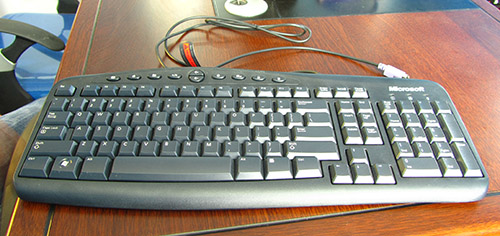
The PS2 Keyboard Library for AVR
The PS2 Keyboard library for AVR has only two functions one for initializing the library and one for reading a ASCII character from the queue. The keyboard library automatically translates the scan codes to ASCII characters and buffers them in a FIFO queue. That means even if the CPU is busy doing something else and a character arrives from it, it will be automatically buffered in a queue. After that the CPU can read the characters anytime when it is free.
void InitPS2()
Function to initialize the PS2 keyboard library. Internally it initialize the ps2 system and sets up the INT0 isr for handling PS data traffic.
Arguments:
NONE
Return Value:
NONE
char ReadFromKbdQ(uint8_t wait)
Function to read a character from the keyboard buffer. The wait parameter can be 0 or non zero. When wait is non zero the the function will wait if the queue is empty until any character is available in the queue. If wait is 0 then the function returns immediately if the queue is empty returning a 0. If their are some characters pending the the buffer it they will be returned one by one (for each call) in a FIFO(first in first our basis) basis.
Argument:
0: If you want to wait till any key is pressed.
non-zero : if you do not want to wait if the buffer is empty.
Return Value:
The ASCII character read from buffer. 0 if the buffer is empty and wait parameter is 0.
Example Usage
The following example shows you how to display string entered using it to LCD display module. The example uses our popular LCD library for AVRs to control the LCD Module. Please see the related tutorial for more detail on LCD interfacing.
#include <avr/io.h>
#include <avr/interrupt.h>
#include <util/delay.h>
#include "lib/kb/ps2.h"
#include "lib/lcd/lcd.h"
void Wait();
int main(void)
For more detail: PS2 Keyboard Interface with AVR MCU using ATmega8 microcontroller
- How does the PS2 keyboard library handle incoming data?
The library automatically translates scan codes to ASCII characters and buffers them in a FIFO queue so the CPU can read them later. - What are the two main functions provided by the library?
The library provides InitPS2 for initialization and ReadFromKbdQ for reading ASCII characters from the queue. - How do I initialize the PS2 keyboard system?
You call the void InitPS2 function which sets up the INT0 interrupt service routine for handling PS2 data traffic. - Can I wait for a key press when reading from the buffer?
Yes, passing a non-zero value to the wait parameter makes the function wait until a character is available in the queue. - What happens if I pass zero as the wait parameter?
The function returns immediately if the buffer is empty and returns 0, otherwise it returns pending characters one by one. - What is the return value of the ReadFromKbdQ function?
It returns the ASCII character read from the buffer or 0 if the buffer is empty and the wait parameter is 0. - Does the library require the CPU to be idle to receive data?
No, the library buffers characters in a queue even if the CPU is busy doing other tasks. - How is the example application demonstrated in the article?
The example displays strings entered via the keyboard onto an LCD display module using the LCD library.
