
Summary of How to use inbuilt ADC of AVR microcontroller (ATmega16)
This article explains the Analog to Digital Converter (ADC) functionality within the ATmega16 microcontroller, detailing its role in converting continuous analog environmental inputs into digital data for processing. It outlines key specifications such as 10-bit resolution and 8 channels, describes necessary hardware pin configurations like AREF and AVCC, and provides a comprehensive guide on configuring essential registers (ADMUX and ADCSRA) to enable conversion, select reference voltages, and manage interrupts.
Parts used in the ATmega16 Microcontroller ADC Project:
- ATmega16 Microcontroller
- Analog to Digital Converter (ADC) peripheral
- PORTA pins (Pin 33 to Pin 40)
- AREF pin (Pin 32)
- AVCC pin (Pin 30)
- Vcc supply voltage source
- ADMUX Register
- ADCSRA Register
- Internal Reference Voltage Source (2.56V)
- External Reference Voltage Source
Microcontroller understands only digital language. However, the inputs available from the environment to the microcontroller are mostly analog in nature, i.e., they vary continuously with time. In order to understand the inputs by the digital processor, a device called Analog to Digital Converter (ADC) is used. As the name suggests this peripheral gathers the analog information supplied from the environment and converts it to the controller understandable digital format, microcontroller then processes the information and provides the desired result at the output end.
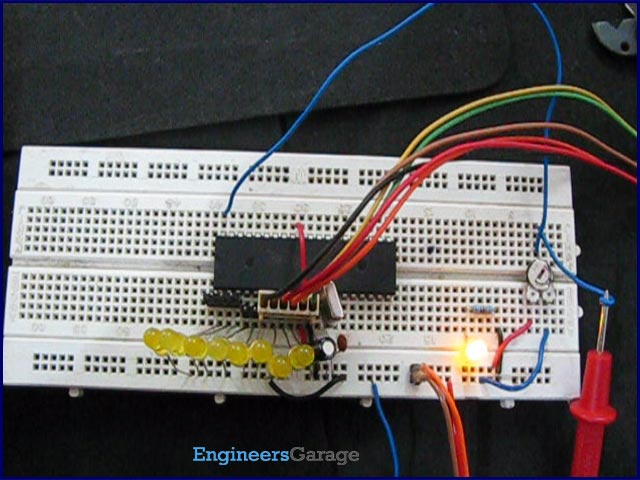
ATmega16 has an inbuilt 10 bit, 8-channel ADC system. Some of the basic features of Armega16 ADC are:
· 8 Channels.
· 10-bit Resolution.
· Input voltage range of 0 to Vcc.
· Selectable 2.56V of internal Reference voltage source.
· AREF pin for External Reference voltage.
· ADC Conversion Complete Interrupt.
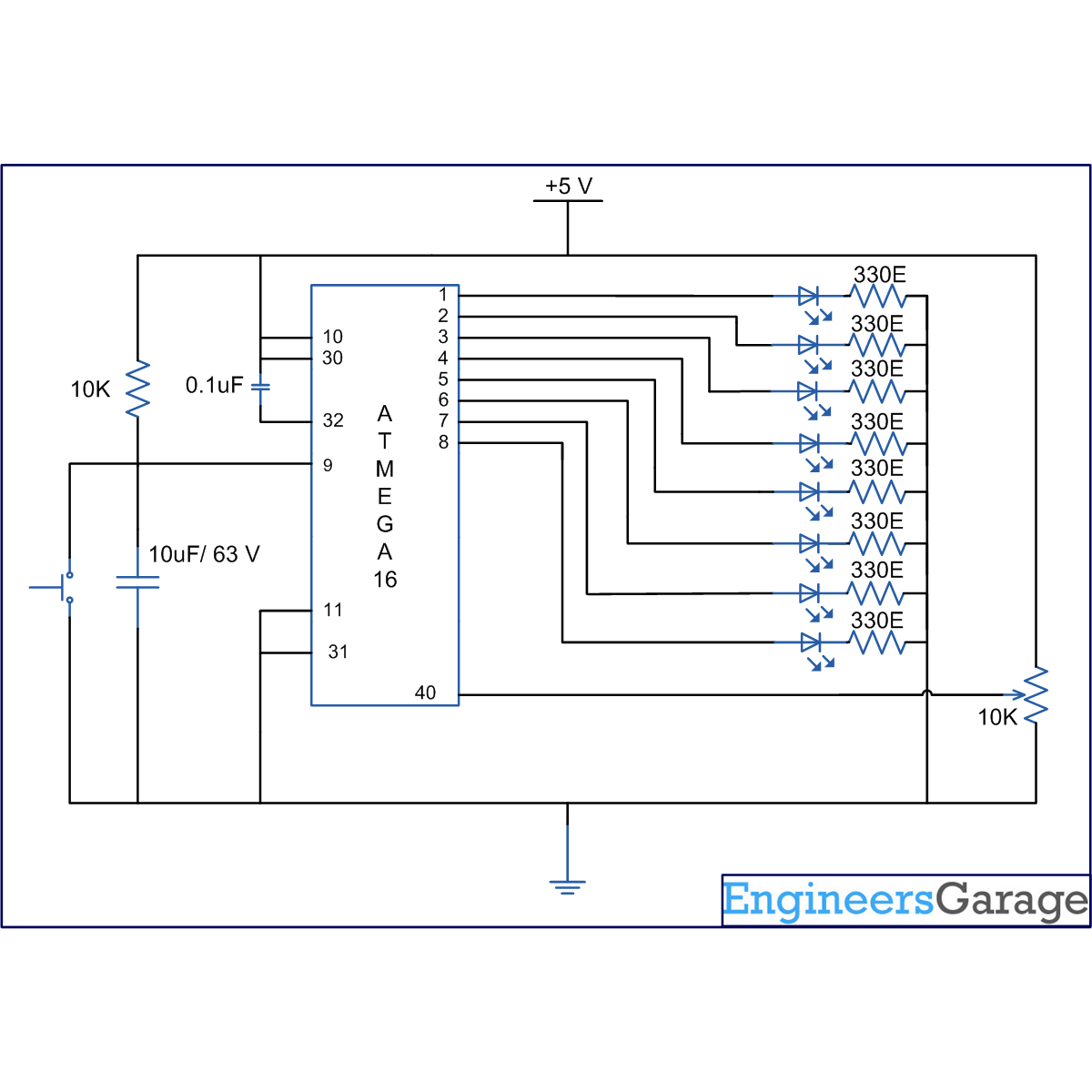
ADC channels in Atmega16 are multiplexed with PORTA and use the common pins (pin33 to pin40) with PORTA. ADC system of Atmega16 microcontroller consists of following pins:
i. ADC0-ADC7: 8 Channels from Pin 40 to Pin 33 of Atmega16 ADC peripheral.
ii. AREF: Pin32 of Atmega16 microcontroller, the voltage on AREF pin acts as the reference voltage for ADC conversion, reference voltage is always less than or equal to the supply voltage, i.e., Vcc.
iii. AVCC: Pin30, this pin is the supply voltage pin for using PORTA and the ADC; AVCC pin must be connected to Vcc (microcontroller supply voltage) to use PORTA and ADC.
Note: External reference voltage source can be used at AREF pin. However, Atmega16 also has internal reference voltage options of 2.56V and Vref = Vcc.
The figure below shows the pin configuration for ADC system of Atmega16 microcontroller.
ADC Registers
To use the ADC peripheral of Atmega16, certain registers need to be configured.
i. ADMUX (ADC Multiplexer And Selection Register)
REFS[0:1] bits determine the source of reference voltage whether it is internal or the external voltage source connected to AREF pin. MUX[4:0] bits are used to select between the channels which will provide data to ADC for conversion. ADLAR bit when set to 1 gives the left adjusted result in data registers ADCH and ADCL.
ii. ADCSRA (ADC Control and Status Register)
ADEN: ADC Enable bit, this bit must be set to 1 for turning ADC on.
ADSC: ADC Start Conversion bit, this bit is set to 1 to start ADC conversion, as soon as conversion is completed this bit is set back to 0 by the hardware.
ADATE: ADC Auto Trigger Enable, this bit is set to 1 to enable auto triggering of ADC conversion.
ADIF: ADC Interrupt Flag, this bit is set to 1 when ADC conversion gets complete.
ADIE: ADC Interrupt Enable, this bit is set to 1 if we want to activate the ADC conversion complete interrupt.
ADPS[0:2]: ADC Prescaler bits, these bits are used to set the ADC clock frequency, the configuration of these bits determine the division factor by which the microcontroller clock frequency is divided to get the ADC clock frequency. The figure above shows the prescaler bit values for respective division factor.
For more detail: How to use inbuilt ADC of AVR microcontroller (ATmega16)
-
Why is an ADC device needed for a microcontroller?
An ADC is required because microcontrollers understand only digital language while environmental inputs are mostly analog and vary continuously with time. -
What are the basic features of the ATmega16 ADC system?
The ATmega16 features an inbuilt 10-bit, 8-channel ADC with an input voltage range of 0 to Vcc and selectable internal or external reference voltages. -
Which pins serve as the ADC channels in the ATmega16?
The ADC channels are multiplexed with PORTA and use the common pins ranging from Pin 40 to Pin 33. -
What is the function of the AREF pin on the ATmega16?
The AREF pin acts as the reference voltage for ADC conversion, where the voltage must be less than or equal to the supply voltage Vcc. -
How do you connect the AVCC pin for ADC operation?
The AVCC pin must be connected to Vcc to provide the supply voltage for using PORTA and the ADC peripheral. -
Which register determines the source of the reference voltage?
The ADMUX register uses REFS bits to determine whether the reference voltage source is internal or an external voltage connected to the AREF pin. -
How is the ADC clock frequency configured?
The ADC clock frequency is set using the ADPS bits in the ADCSRA register, which determine the division factor for the microcontroller clock frequency. -
What happens when the ADSC bit is set to 1?
Setting the ADSC bit to 1 starts the ADC conversion, and the hardware automatically sets this bit back to 0 once the conversion is complete.
