
Summary of Simple signal drawing on graphical LCD routines using Atmega8 microcontroller
Summary: The author used an Atmega8 and a KS0108-based 128×64 graphical LCD (simulated with Proteus) to read signal samples from a lookup table and display waveforms. The display was divided into four 32×63 sub-windows. A window struct stores coordinates and a setWindow function updates the active window, erases the previous frame, sets new coordinates, and draws a rectangle around the active window to visually indicate focus.
Parts used in the Simple signal drawing on graphical LCD project:
- Atmega8 microcontroller
- KS0108 controller based graphical LCD (128×64)
- Proteus simulator (LGM12641BS1R model used for simulation)
- Lookup table storing signal values (in microcontroller memory)
- C code routines for ks0108 graphics (ks0108DrawRect, setWindow, etc.)
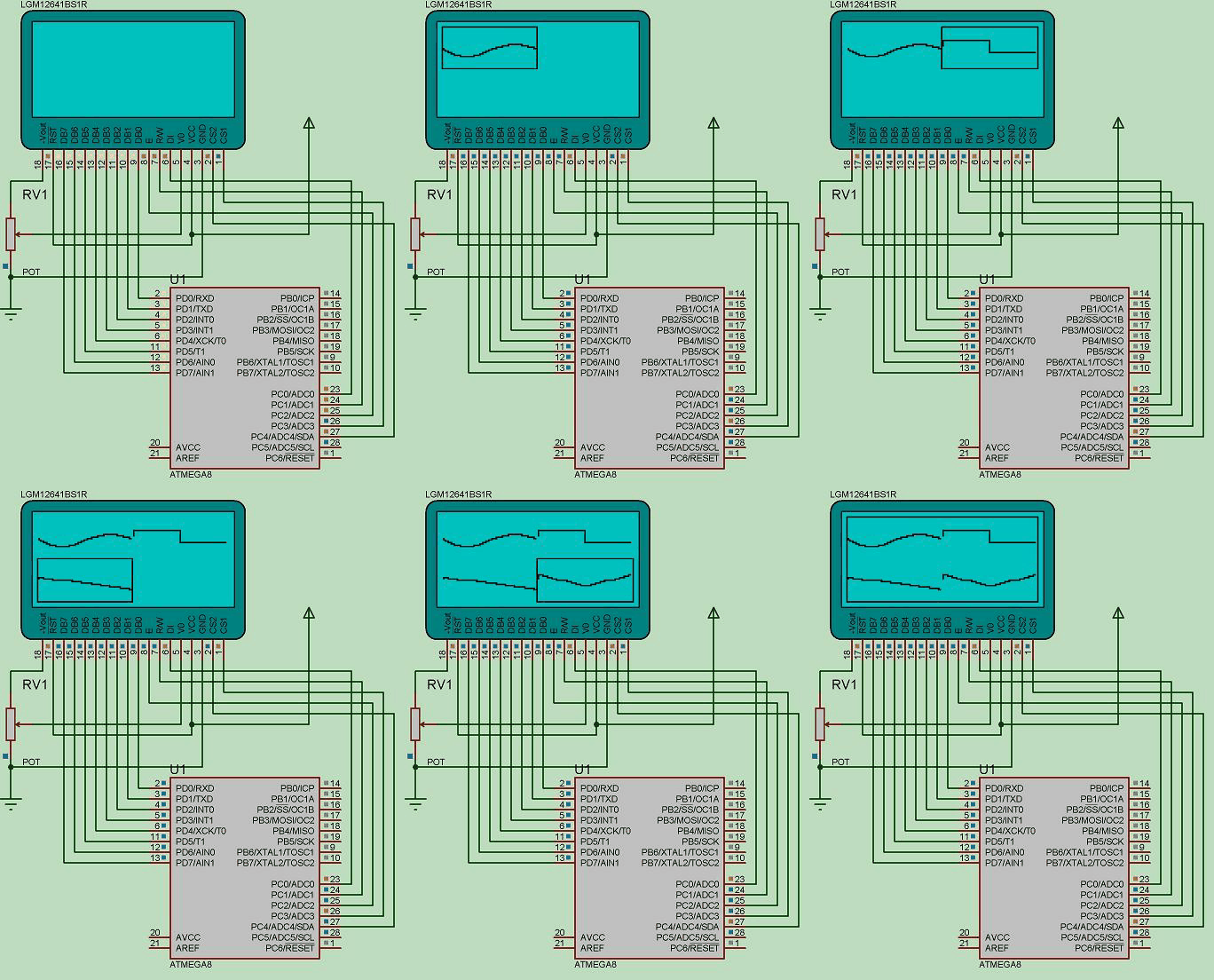
During spare time I have been playing with graphical LCD. This time I decided to display simple signals that are stored in microcontroller memory. The idea was to read signal values from look-up table and display waveform on Graphical LCD. To make things more interesting I divided LCD screen in to smaller four screens so I could activate them separately and draw signals in them.
Graphical LCD is the same old HQM1286404 with KS0108 controller. I have used Proteus simulator 128×64 graphical LCD(LGM12641BS1R) which is based on KS0108. How to implement and connect LCD there was a blog post (Simulate KS0108 graphical LCD with Proteus simulator
)about it. I am just going to show main program routine.
As I mentioned I have split 128×64 in to four smaller screens like this:
so I get four smaller 32×63 screens where I can put different information. To do this you can think of many ways of implementation. I have chosen simple solution. I have created a simple structure which holds current active window position and size:
//structure of window coordinates
struct window{
uint8_t xmin;
uint8_t ymin;
uint8_t xmax;
uint8_t ymax;
} win;
And I wrote a function which changes the active window.
void setWindow(uint8_t x0, uint8_t y0, uint8_t x1, uint8_t y1)
{
//clear previous window frame
ks0108DrawRect(win.xmin, win.ymin, win.xmax-win.xmin, win.ymax-win.ymin, WHITE);
//set new window position and size
win.xmin=x0;
win.ymin=y0;
win.xmax=x1;
win.ymax=y1;
//draw frame on active window
ks0108DrawRect(win.xmin, win.ymin, win.xmax-win.xmin, win.ymax-win.ymin, BLACK);
}
It just assigns new coordinates of new window. Also it draws a rectangle around active window. When changing window position to new, old rectangle is deleted. So this makes pretty cool effect.
For more detail: Simple signal drawing on graphical LCD routines using Atmega8 microcontroller
- What controller does the graphical LCD use?
The graphical LCD uses the KS0108 controller as stated in the article. - Can the 128×64 LCD be divided into smaller screens?
Yes, the author divided the 128×64 screen into four smaller 32×63 screens. - How is the active window represented in code?
By a struct named window with xmin, ymin, xmax, and ymax fields storing coordinates and size. - How does setWindow update the display when switching windows?
setWindow erases the previous window frame, updates the window coordinates, then draws a rectangle around the new active window. - What function is used to draw or clear the window frame?
ks0108DrawRect is used to draw and clear the window rectangle. - Is Proteus used in the project and which model simulates the LCD?
Yes, Proteus simulator is used with the LGM12641BS1R model that is based on KS0108. - What microcontroller is used to store and read the signal lookup table?
The Atmega8 microcontroller is used to store and read the lookup table.
