
Summary of An AVR Atmega LCD Menu builder library
**Summary** lcdmenu1 is a lightweight menu builder for AVR Atmega microcontrollers using 4-directional buttons and optional extra inputs. It supports navigation, editing, and EEPROM value storage. The system operates on 2x16 HD44780 LCDs via the Peter Fleury library but is adaptable to other resolutions. Its core functionality relies on a `makemenu` function that defines item relationships and callback actions for entry, exit, and selection.
- AVR Atmega microcontroller
- 4-directional buttons (up, down, right, left)
- Optional additional buttons
- EEPROM for value storage
- 2x16 HD44780 LCD display
- Peter Fleury lcd library
- Dean Camera micro-menu base
lcdmenu1 is a simple and small lcd menu builder for AVR Atmega.
It works with only 4 buttons (up, down, right, left), additional buttons can be added.
It can also store values to eeprom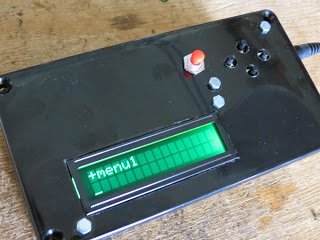
User can use button up and down to list menu categories, right and left to browse child and parent.
If an item is selected, the right button makes the menu enter in edit-mode.
In this mode button up and down changes the item value, left exit without save to eeprom, right exit and save to eeprom.
The menu costructor is based upon Dean Camera micro-menu. It works on 2×16 lcd using the Peter Fleury lcd library for HD44780, but it can also be change to fit other lcd resolution.
It is test on 2×16 HD44780 device, sample code is provided.
The main function is the builder function:
lcdmenu1_makemenu(name, next, prev, parent, sibling, selectfunc, enterfunc, exitfunc, text);
name is the name of the menuitem
next is the pointer to next menuitem
prev is the pointer to the prev menuitem
parent is the parent of the menuitem
sibling is the child of the menuitem
enterfunc is the function to be called when user enter this menuitem
exitfunc is the function to be called when user exit this menuitem
text is the text view on lcd for the menuitem
The sample code provided build menu item, menu folder, menu subfoder.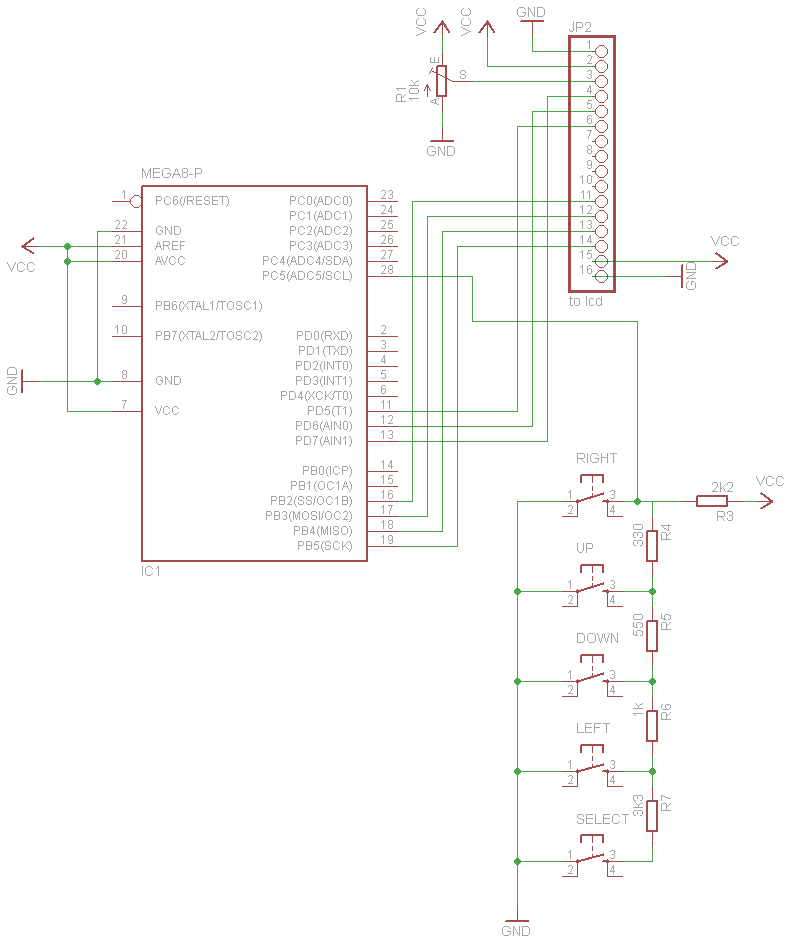
For more detail: An AVR Atmega LCD Menu builder library
- How does the user navigate menu categories?
User presses up and down buttons to list menu categories. - What do the right and left buttons do during browsing?
Right and left buttons allow the user to browse child and parent items. - How does the user enter edit mode?
Pressing the right button after selecting an item enters edit-mode. - Can values be saved to non-volatile memory?
Yes, the system can store values to eeprom. - Which LCD library is required for operation?
The project uses the Peter Fleury lcd library for HD44780. - Is the software compatible with other LCD resolutions?
Yes, the code can be changed to fit other lcd resolution. - What happens if the left button is pressed in edit mode?
Pressing left exits without saving to eeprom. - What happens if the right button is pressed in edit mode?
Pressing right exits and saves changes to eeprom. - What parameters define a menu item in the builder function?
Parameters include name, next, prev, parent, sibling, selectfunc, enterfunc, exitfunc, and text.
