
Summary of How to display text on 16×2 LCD using AVR microcontroller (ATmega16)
This article continues a series on AVR microcontrollers, specifically demonstrating how to display strings on an LCD using the ATmega16. It outlines the logic of using string pointers and loops to send characters sequentially until a NULL character is reached. The provided C code implements a `LCD_write_string` function that iterates through the string array, calling the byte-writing function for each character.
Parts used in String Display on LCD:
- AVR Microcontroller (ATmega16)
- Single Character LCD Display
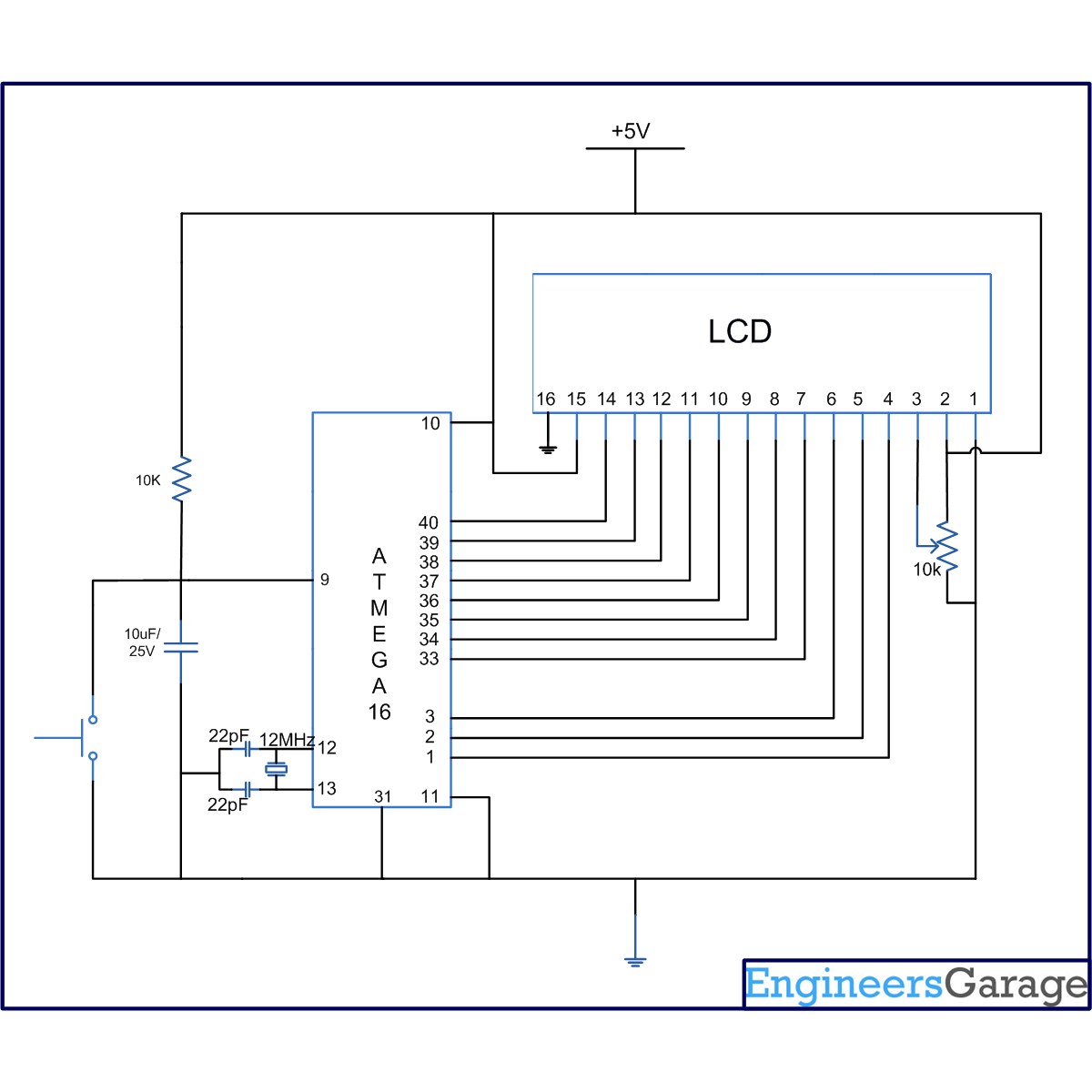
- Circuit Diagram connections
- LCD_write function
- String pointer variable
This article is in continuation to the article Single character LCD display using AVR. The aforesaid article shows how to display a single letter on LCD. Moving forward towards learning to work with LCD, this article explains how to display a string on LCD. Displaying string is occasionally used in many applications.
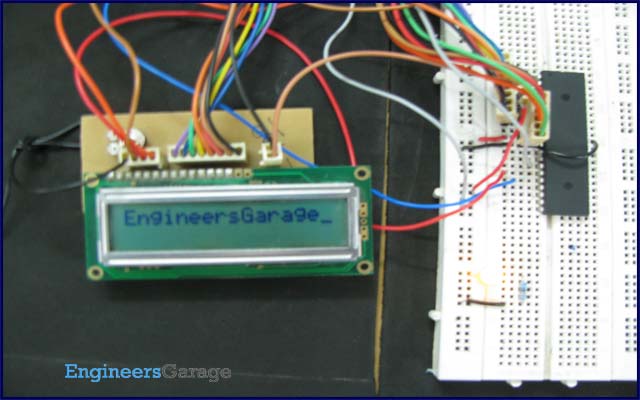
The connection of the LCD with the AVR microcontroller (ATmega16) is shown in the circuit diagram. A string is nothing but a sequence of characters. The following steps explain how to display a string on the LCD.
To send string on LCD:
i. Make a string pointer variable
ii. Pass the starting address of string to that pointer variable
iii. Pass the string pointer value to the LCD_write function
iv. Increment the pointer value and go to step (iii.) till the value of pointer reaches NULL character.
void LCD_write_string(unsigned char *str) //store address value of the string in pointer *str
{
int i=0;
while(str[i]!=’\0′) // loop will go on till the NULL character in the string
{
LCD_write(str[i]); // sending data on LCD byte by byte
i++;
}
return;
}
For more detail: How to display text on 16×2 LCD using AVR microcontroller (ATmega16)
-
What is the main purpose of this article?
The article explains how to display a string on an LCD using an AVR microcontroller. -
How do you prepare a string for display on the LCD?
You must make a string pointer variable and pass the starting address of the string to it. -
When does the loop in the LCD_write_string function stop?
The loop stops when the value of the pointer reaches the NULL character. -
Which microcontroller is used in the circuit diagram?
The circuit diagram shows the connection of the LCD with the AVR microcontroller ATmega16. -
How does the code send data to the LCD?
The code sends data on the LCD byte by byte using the LCD_write function. -
Can displaying strings be useful in applications?
Yes, displaying strings is occasionally used in many applications. -
What is the first step in sending a string to the LCD?
The first step is to make a string pointer variable. -
What happens after passing the string pointer value to the LCD_write function?
The process involves incrementing the pointer value and repeating the step until the NULL character is reached.
