
Summary of AirDisk Pro Turns iOS Devices into Secure Wireless Flash Drives for Music, Images, Movies, Spreadsheets, Presentations & More
AirDisk Pro transforms iOS devices into secure wireless drives, enabling file transfer between Mac/PC and mobile via Wi-Fi. It supports extensive formats including audio, images, Office documents, and code, with built-in viewers for editing on the go. The app features a personal Wi-Fi hotspot, Bluetooth transfers, and password protection for enhanced security, allowing users to manage files without leaving the application.
Parts used in the AirDisk Pro project:
- iOS device (iPhone, iPad, iPod Touch)
- Mac or PC desktop
- Wi-Fi connection
- Finder or Windows Explorer
- In-app utilities (audio player, image viewer, voice recorder, text editor, document viewer)
- File manager
- Bluetooth module
- Personal Wi-Fi hotspot
- Password lock system
Cupertino, CA (PRWEB) March 14, 2012
Published by App2Pro, AirDisk Pro turns any iOS device into a personal and secure wireless drive, allowing users to save, manage, edit and view files on iPhone, iPad and iPod Touch devices. Connecting via Wi-Fi to either Mac or PC desktops allows files to be easily transferred via Finder or Windows Explorer and then viewed or edited directly on the device using a variety of included in-app utilities.
Unlike the current storage facility offered by iOS, which only stores particular filetypes within individual apps, AirDisk Pro allows users to use their device as a virtual wireless hard drive and store almost every popular file format – from music and photographs to spreadsheets and presentations.
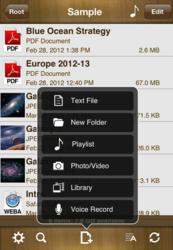
In-built file viewers allow quick retrieval and editing without leaving the app, including; audio player, image viewer, voice recorder, text editor and document viewer supporting PDFs, MS Office, iWork, Text and HTML documents. In addition, a full file manager allows organisation on-the-go as well as supporting zip and archiving functionality.
Full list of supported formats:
Audio (WAV, MP3, M4A, CAF, AIF, AIFF, AAC)
Images (JPG, PNG, GIF, BMP, TIF, TIFF, ICO)
Movies (MP4, MOV, MPV, M4V)
iWorks (Pages, numbers, and Keynote)
Microsoft Office (Word, Excel and PowerPoint)
RTF (Rich Text Format)
RTFD (TextEdit with embedded images)
PDF Documents
Plain text
Source code
HTML web pages
Web archives
When away from the desk files can be transferred directly to-and-from other mobile devices using bluetooth, whilst an in-built personal Wi-Fi hotpot allows wireless connection to any computer, even on the road. Security can be enabledusing a passcode lock, whilst file transfers between mobile device and computer are also password protected.
AirDisk Pro offers iOS users a wireless drive that is incredibly easy-to-use for almost infinite purposes – storing photographs, music, documents even websites, commented Felix Yew of App2Pro. Normally any unused iPhone or iPad storage space cannot be accessed directly by consumers. With App2Pro we have designed a fully open system where users can connect to their device as a wireless drive and access files on-the-go without leaving the app.
AirDisk Pro – Wireless Flash Drive is available in the App Store as a universal download for iPhone and iPad at: http://itunes.apple.com/app/airdisk-pro-wireless-flash/id505904421?mt=8
For more information or media inquiries, contact Mark Johnson of appshout! on behalf of App2Pro at +1 408 757 0086 or press(at)myappshout(dot)com.
About App2Pro
App2Pro is a UK based iPhone and iPad app development company. Founded in December 2011 by owner and Director Felix Yew, a graduate of University of London with a Masters in Computer Science. The goal for the company is to consistently develop innovative, easy-to-use, focused and fun applications for our users.
More Information: http://www.app2pro.com
- How does AirDisk Pro differ from standard iOS storage?
Unlike standard storage that limits filetypes per app, it acts as a virtual wireless hard drive storing almost every popular format. - Can I edit files directly on my iOS device using this app?
Yes, built-in file viewers allow quick retrieval and editing without leaving the app. - What file formats are supported by AirDisk Pro?
It supports audio, images, movies, iWorks, Microsoft Office, PDFs, plain text, source code, and HTML web pages. - Can I transfer files between mobile devices while away from a desk?
Yes, files can be transferred directly to-and-from other mobile devices using Bluetooth. - Does the app provide a way to connect computers wirelessly on the road?
An in-built personal Wi-Fi hotpot allows wireless connection to any computer even when traveling. - Is data transfer between the mobile device and computer secure?
Security can be enabled using a passcode lock, and file transfers are password protected. - Can I organize files and create archives on the go?
A full file manager supports organization on-the-go as well as zip and archiving functionality. - Where can I download AirDisk Pro?
It is available as a universal download for iPhone and iPad in the App Store.
