
Summary of Make a breadboard adapter for your AVR microcontroller using attiny2313
This article describes a solderless breadboard adapter for AVR microcontrollers like the Attiny2313, eliminating the need for double-sided or custom PCBs. It outlines a simple programming interface requiring power, a reset pushbutton, and ISP lines (MOSI, MISO, SCK). The project involves designing a schematic, etching a dedicated board or using perfboard, and soldering components to enable easy prototyping.
Parts used in the AVR Microcontroller Breadboard Adapter:
- AVR microcontroller (e.g., Attiny2313)
- Power sources
- Reset pushbutton
- MOSI line
- MISO line
- SCK line
- Breadboard adapter pins
- Perforated board or etched circuit board
- Wires
If you like to play around with micro controllers you know this hustle: You want to test a part of a program and first you need to completely wire up the uC on the bread board.
Not with these handy parts any more!
These are complete programmable micro controllers that could be stuck to any solderless breadboard. Easy to program and easy to interface.
The big advantage is, that you don’t need double side PCB, you don’t need a custom PCB at all, you can also built it with common bread board and some wires too.
Step: 1 The schematics
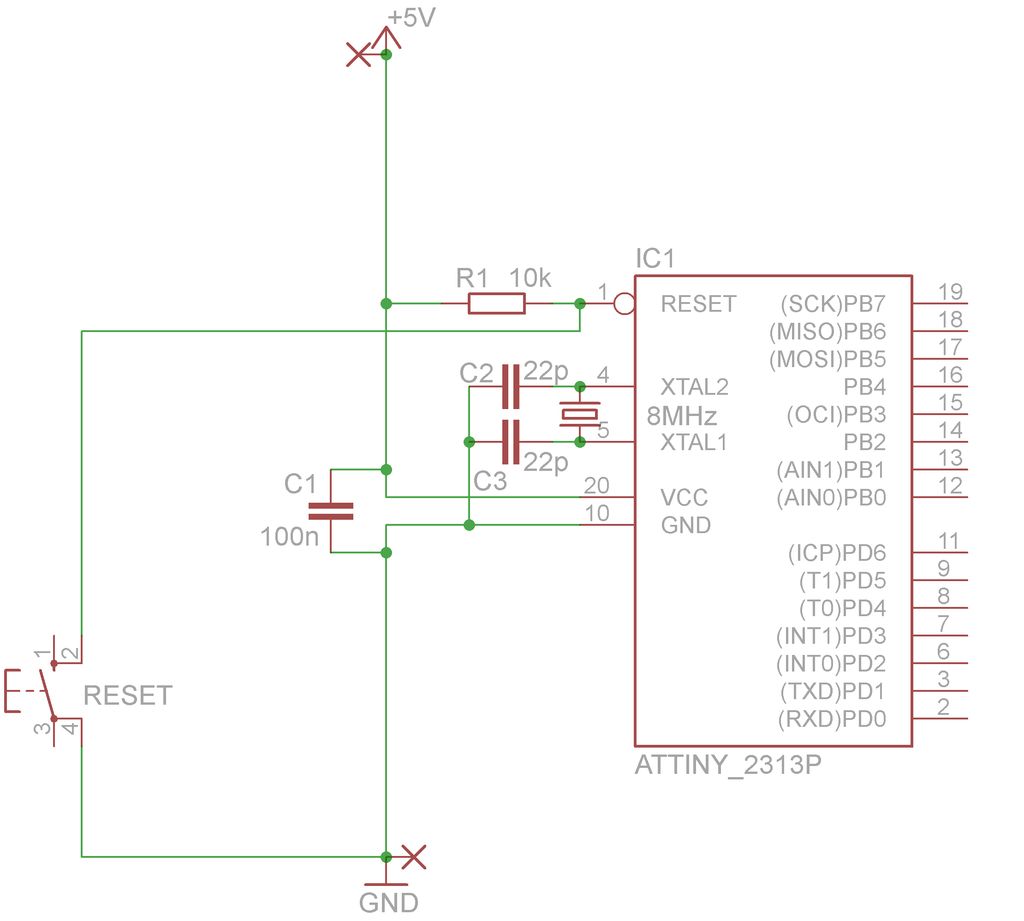
The basic interface to program a micro controller is rather easy.
You need the power sources.
Then you have to tie the reset pin high, with a pushbutton to reset the uC.
And finally you need the three other lines to program the uC, Mosi, Miso and SCK.
I will explain this for the Attiny2313, but other uCs are as easy as this.
In the pictures to this step, you find the most simple schematic, then one with the ISP socket and the last one with all the pins routed to pin headers.
Step: 2 The board
You can built this on some blank perforated board or you can etch a dedicated board for it. I chose the second way, because it is very clean. On a blank board you would have to use wires to connect the pins according to the schematics. But that’s also ok.
In the two pictures you can see how I routed the schematics on my board.
If you want to make your own board, you can use the pdf with the 1:1 printable version.
Step: 3 Solder the parts to the board
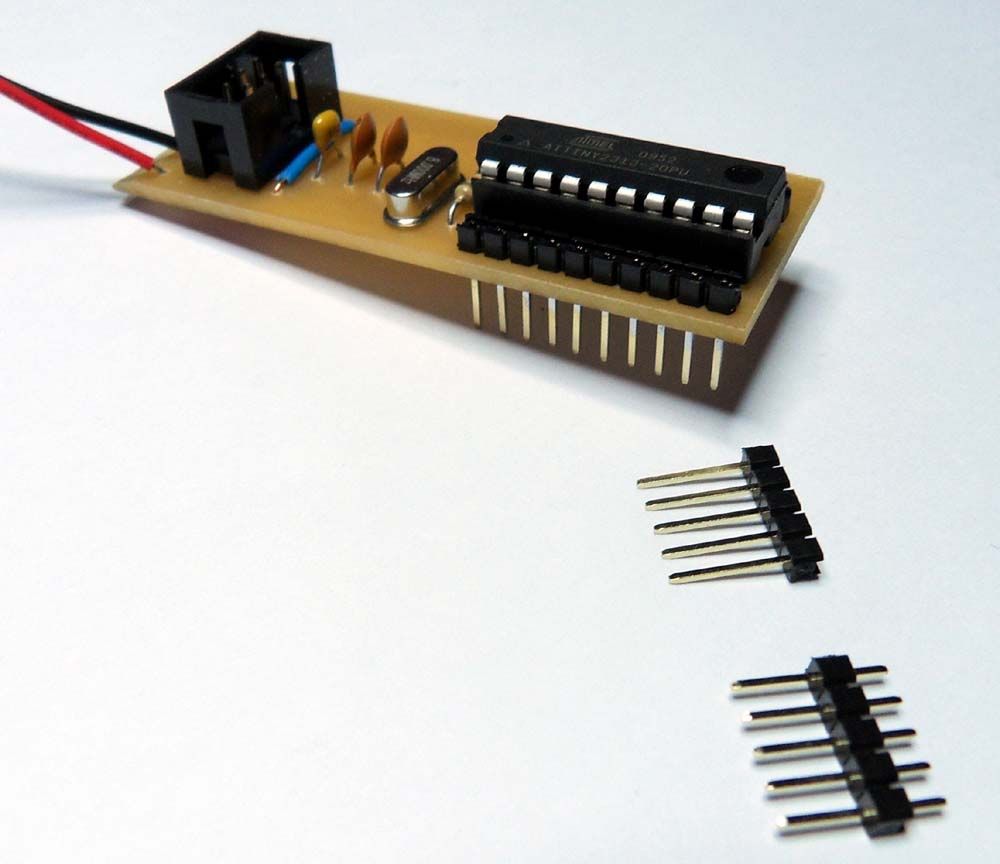
After you etched your own board, drill it and the solder on the individual parts to it.
The pins for the bread-board adapter are pushed through and the soldered from the bottom side. Although this is not ideal it should normally work.
For more detail: Make a breadboard adapter for your AVR microcontroller using attiny2313
- What is the main advantage of this adapter?
You do not need double side PCB or a custom PCB at all. - How can you build the board if you do not etch it?
You can build it on some blank perforated board using wires to connect the pins. - Which microcontroller is used as the example in the schematics?
The Attiny2313 is explained as the basic interface example. - What are the required lines to program the micro controller?
You need the three other lines to program the uC, Mosi, Miso and SCK. - How should the reset pin be connected?
You have to tie the reset pin high with a pushbutton to reset the uC. - Can other uCs be programmed easily with this setup?
Yes, other uCs are as easy as this. - Where should the pins for the bread-board adapter be soldered?
The pins are pushed through and soldered from the bottom side. - What resource is available for making your own board?
You can use the pdf with the 1:1 printable version.
