
Summary of MMC/SD/SDHC AVR Interface using ATMega8 microcontroller
This article describes a general-purpose C library for reading and writing MMC, SD, and SDHC cards on AVR microcontrollers. It supports FAT16/FAT32 file systems, partition tables, and includes a command-line interface accessible via UART. The project uses ATmega8, ATmega168, or ATmega328 chips depending on the required features, with a custom circuit board featuring a card connector that detects insertion and write-protection status.
Parts used in the MMC/SD/SDHC AVR Interface:
- Atmel AVR microcontroller (ATmega8, ATmega168, or ATmega328)
- Passive components
- Self-made single copper layer circuit board
- DIL components
- MMC/SD card connector with eject button
- Electrical switches for card detection and write-protection
MMC/SD/SDHC card library
This project provides a general purpose library which implements read and write support for MMC, SD and SDHC memory cards.
It includes
- low-level MMC, SD and SDHC read/write routines
- partition table support
- a simple FAT16/FAT32 read/write implementation
The circuit
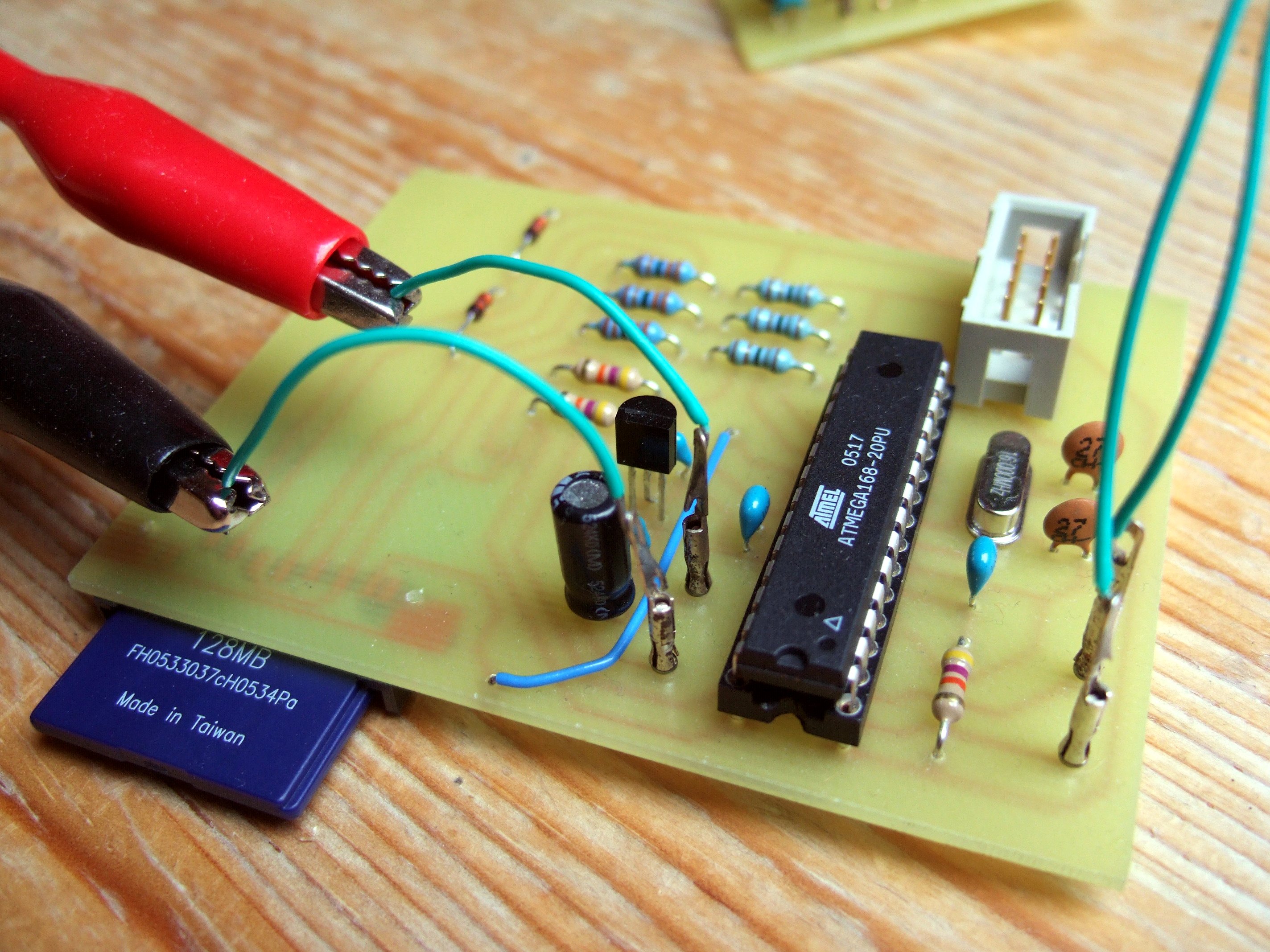
The circuit which was mainly used during development consists of an Atmel AVR microcontroller with some passive components. It is quite simple and provides an easy test environment. The circuit which can be downloaded here has been improved with regard to operation stability.
I used different microcontrollers during development, the ATmega8 with 8kBytes of flash, and its pin-compatible alternative, the ATmega168 with 16kBytes flash. The first one is the one I started with, but when I implemented FAT16 write support, I ran out of flash space and switched to the ATmega168. For FAT32, an ATmega328 is required.
The circuit board is a self-made and self-soldered board consisting of a single copper layer and standard DIL components, except of the MMC/SD card connector.
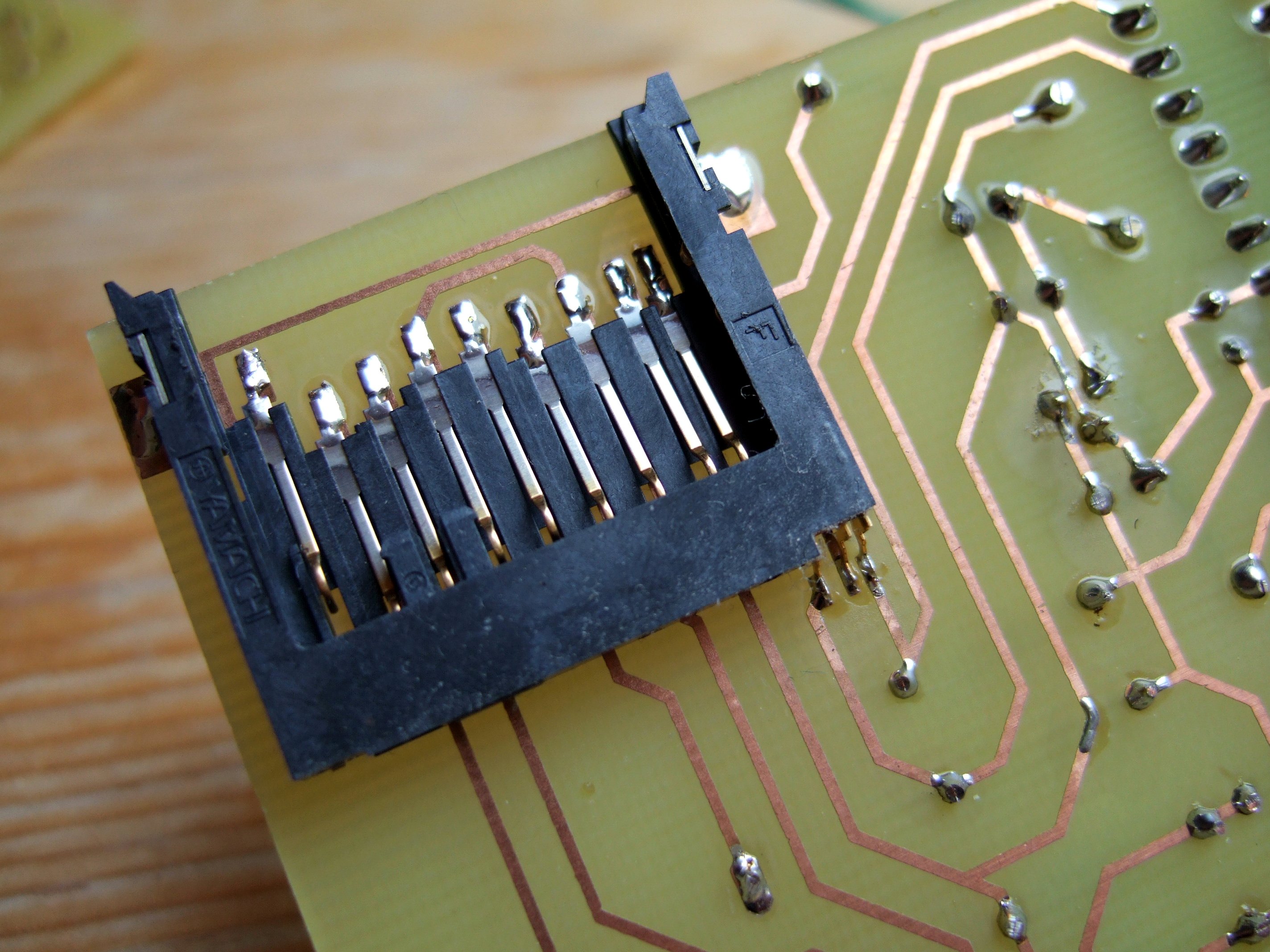
The connector is soldered to the bottom side of the board. It has a simple eject button which, when a card is inserted, needs some space behind the connector itself. As an additional feature the connector has two electrical switches to detect wether a card is inserted and wether this card is write-protected.
Pictures
The software
The software is written in C (ISO C99). It might not be the smallest or the fastest one, but I think it is quite flexible. See the benchmark page to get an idea of the possible data rates.
I implemented an example application providing a simple command prompt which is accessible via the UART at 9600 Baud. With commands similiar to the Unix shell you can browse different directories, read and write files, create new ones and delete them again. Not all commands are available in all software configurations.
- cat <file>
Writes a hexdump of <file> to the terminal. - cd <directory>
Changes current working directory to <directory>. - disk
Shows card manufacturer, status, filesystem capacity and free storage space. - init
Reinitializes and reopens the memory card. - ls
Shows the content of the current directory. - mkdir <directory>
Creates a directory called <directory>. - rm <file>
Deletes <file>. - sync
Ensures all buffered data is written to the card. - touch <file>
Creates <file>. - write <file> <offset>
Writes text to <file>, starting from <offset>. The text is read from the UART, line by line. Finish with an empty line.
For more detail: MMC/SD/SDHC AVR Interface using ATMega8 microcontroller
- Which microcontrollers are used in this project?
The project uses the ATmega8, ATmega168, or ATmega328 depending on the required flash space and file system support. - What file systems does the library support?
The library implements simple FAT16 and FAT32 read/write capabilities along with partition table support. - How can I access the command prompt?
The command prompt is accessible via the UART at 9600 Baud using commands similar to the Unix shell. - What happens if I run out of flash space on an ATmega8?
You must switch to an ATmega168 when implementing FAT16 write support because the ATmega8 lacks sufficient flash memory. - Which microcontroller is required for FAT32 support?
An ATmega328 is required to implement FAT32 functionality due to its larger memory capacity. - How does the circuit detect if a card is write-protected?
The connector has two electrical switches that detect whether a card is inserted and whether it is write-protected. - Can I create new directories using the software?
Yes, you can use the mkdir command to create a directory with a specified name. - How do I ensure all buffered data is written to the card?
You must use the sync command to ensure all buffered data is written to the card.
